

How to View Asset Withdrawal Progress
Updated Short read Getting Started
Contents
Hi digitalexchange.id friends
You can find out the process that occurs when you make an outbound asset transfer (WD), how do you do it?
Make sure you have confirmed the asset withdrawal, which you clicked on from the link provided when you made the WD.
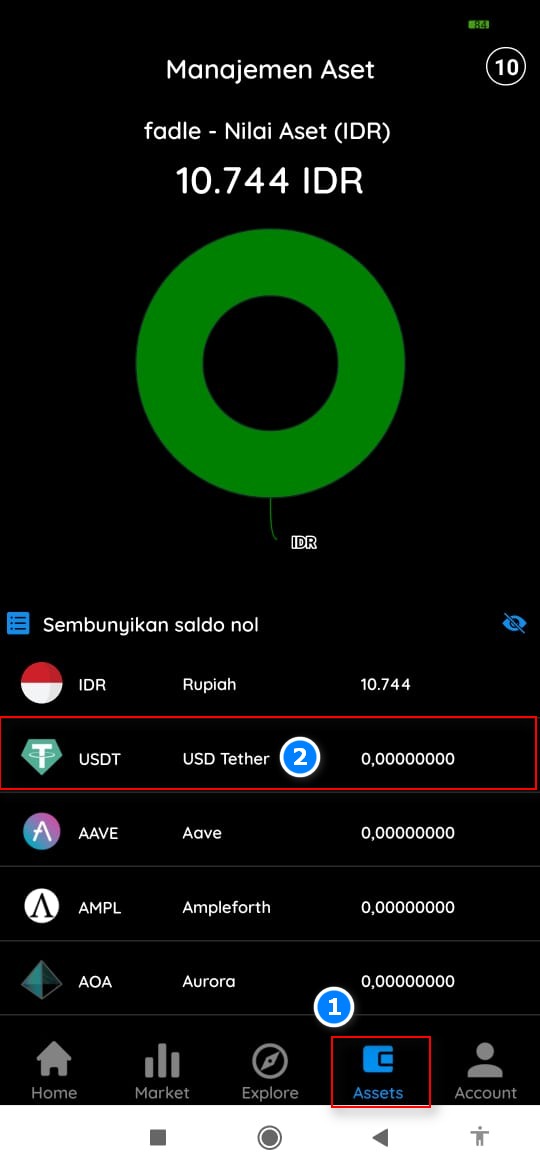
- Login to assets
- Click on the Asset to be withdrawn
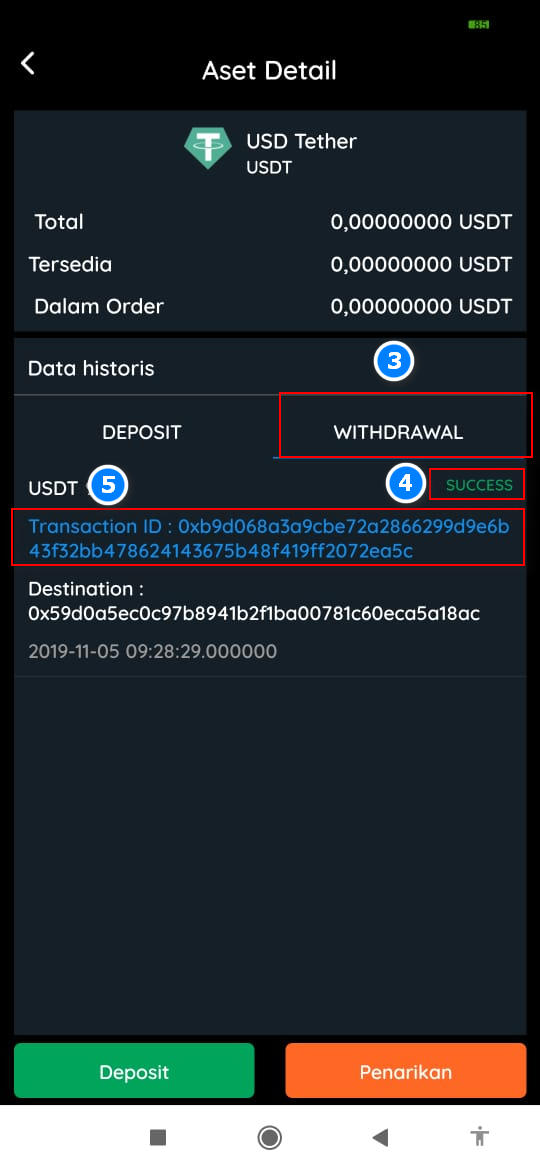
- Click Withdrawal to see the process
- There will be a notification in the form of Pending, waiting for approval and success (make sure it is successful)
- Txid will come out and this is the check number where your assets are currently located.
Was this article helpful?