

How to Exchange Points for Vouchers in digitalexchange.id
Updated Short read Deposits and Withdrawals
Contents
Follow these steps below!
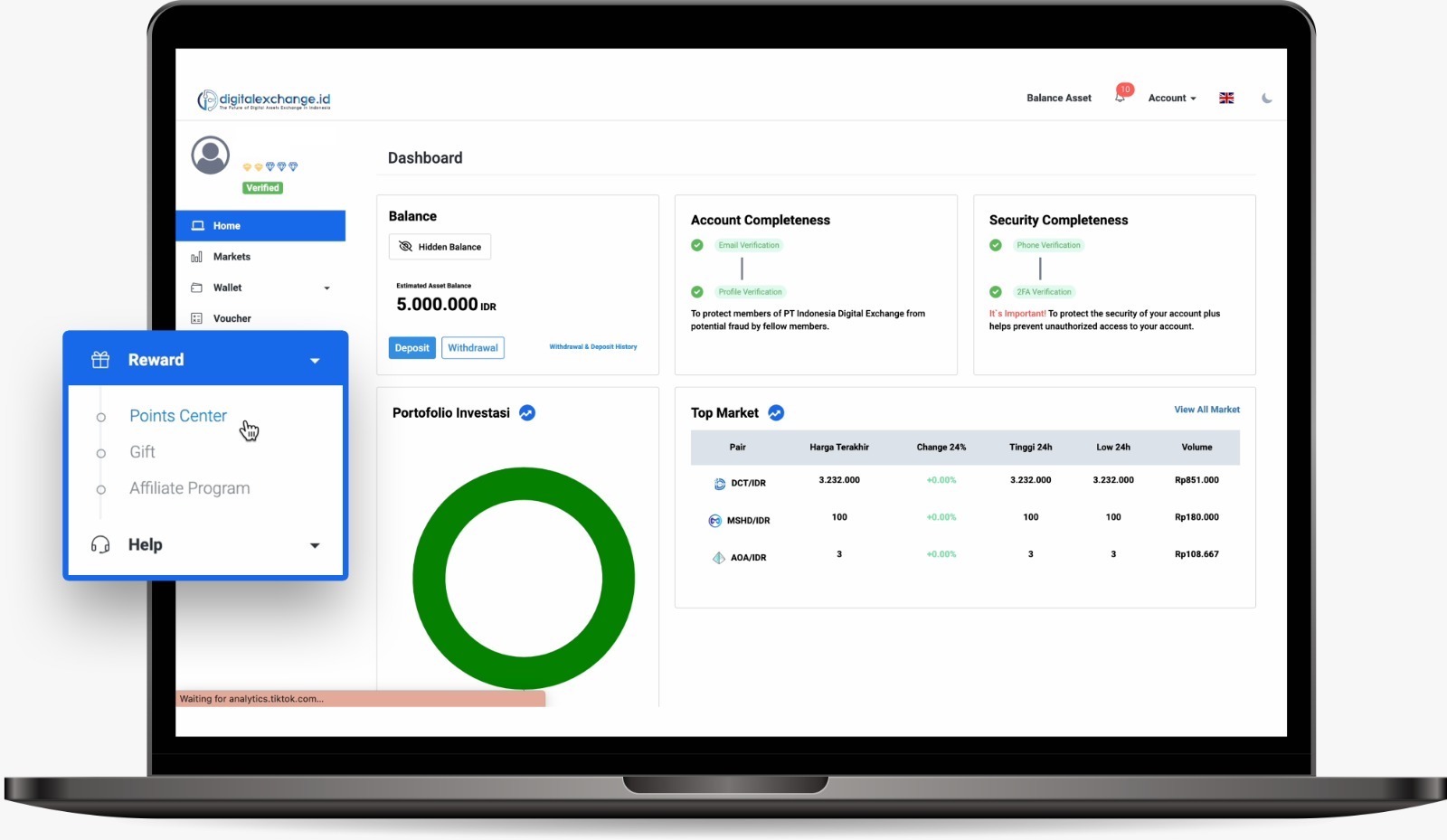
1. Open the digitalexchange.id web page. In the sidebar menu, select Reward then click Point Center.
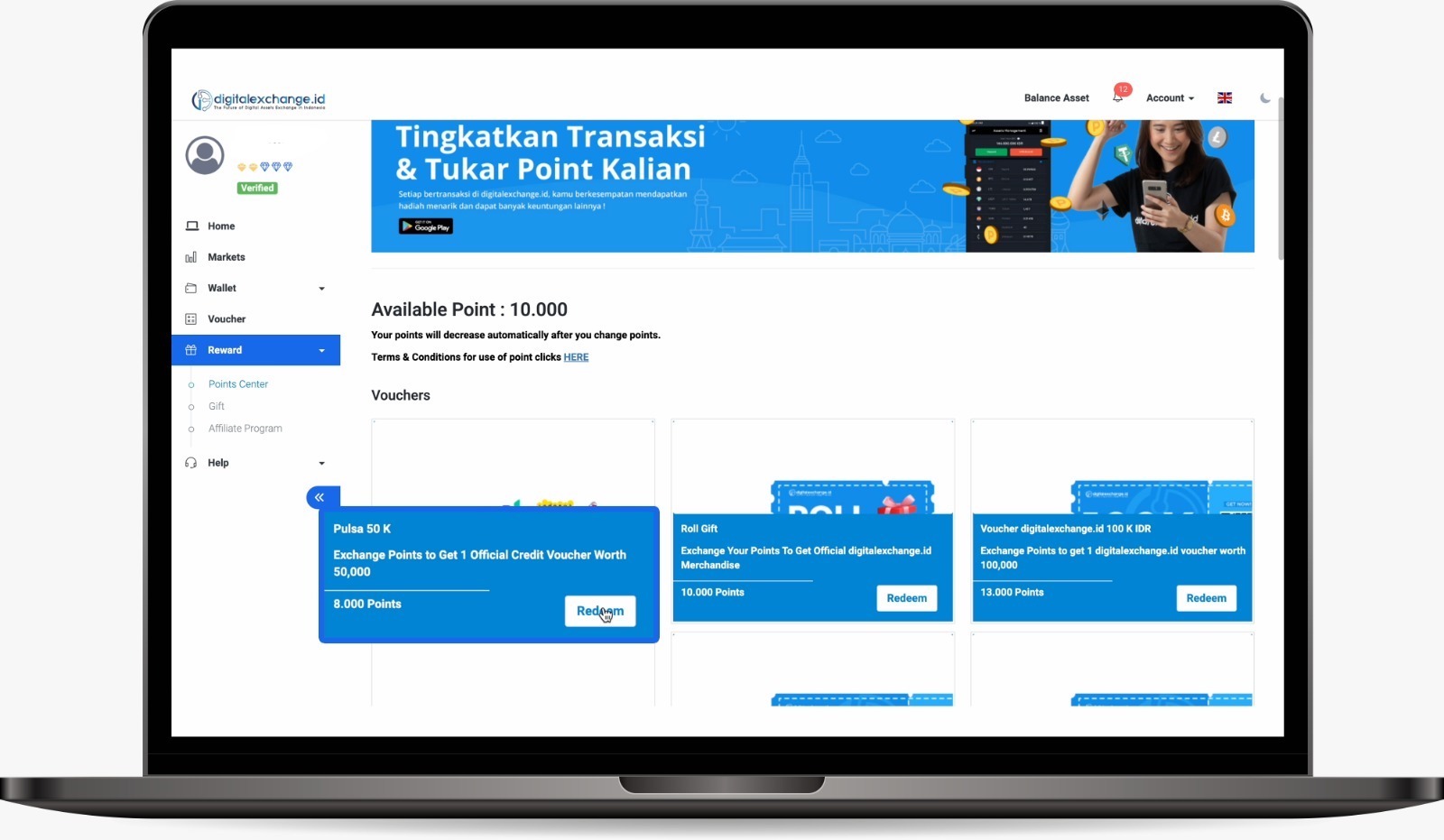
2. Select your prize according to the points you have then click Redeem
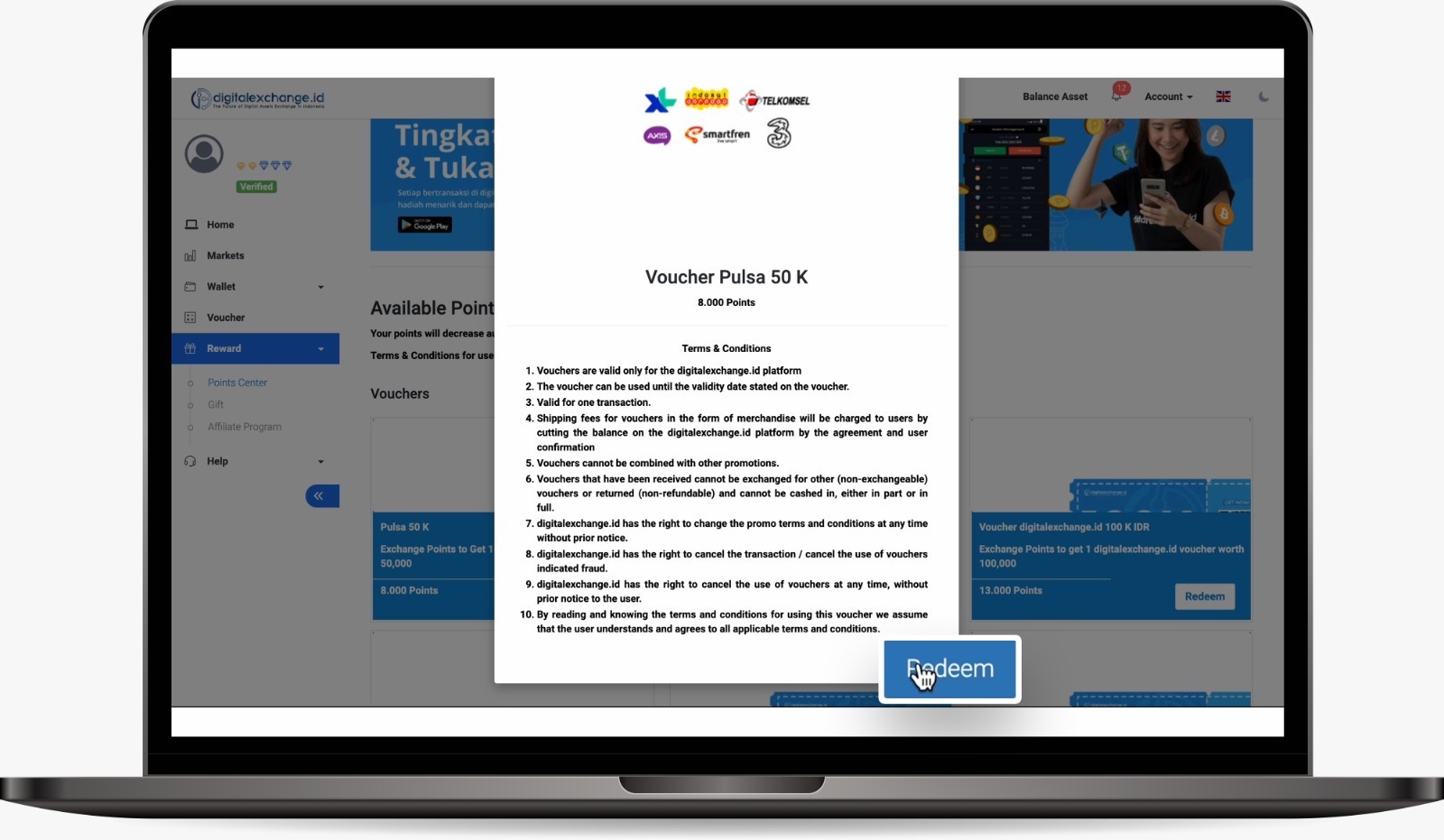
3. Read the terms and conditions of this point exchange carefully, then click Redeem.
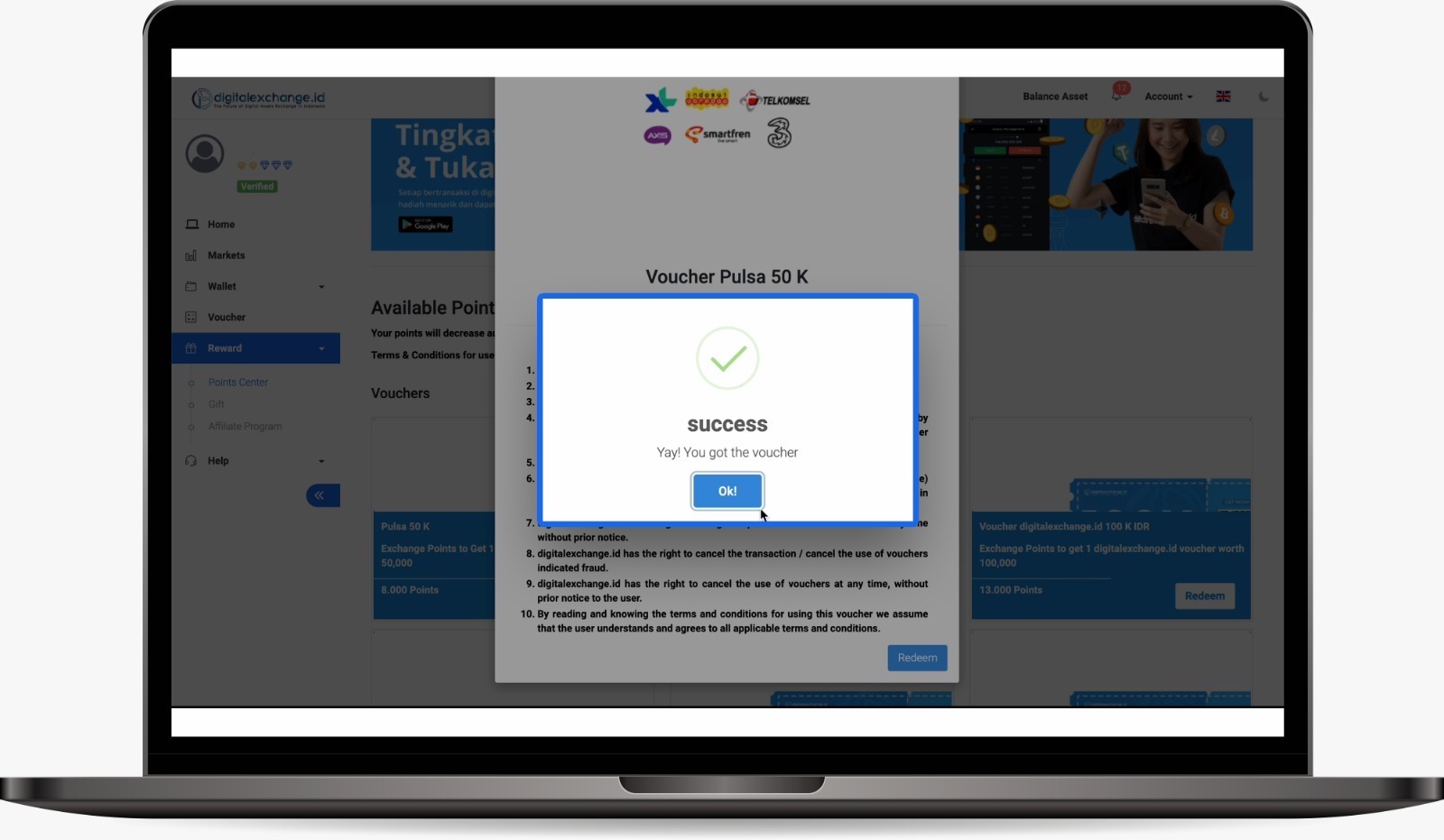
4. Next, click OK!
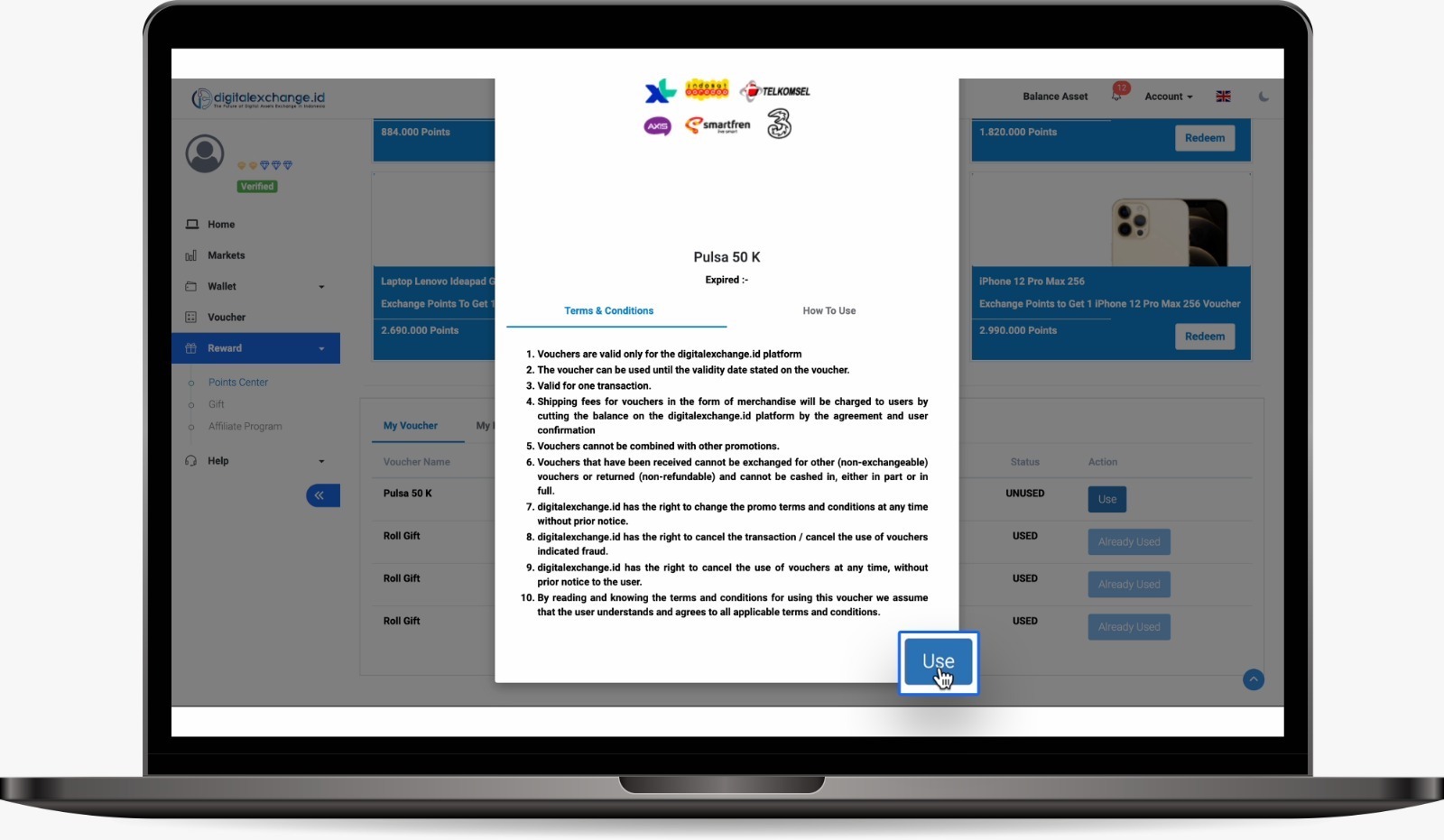
5. Scroll to the bottom, click Use
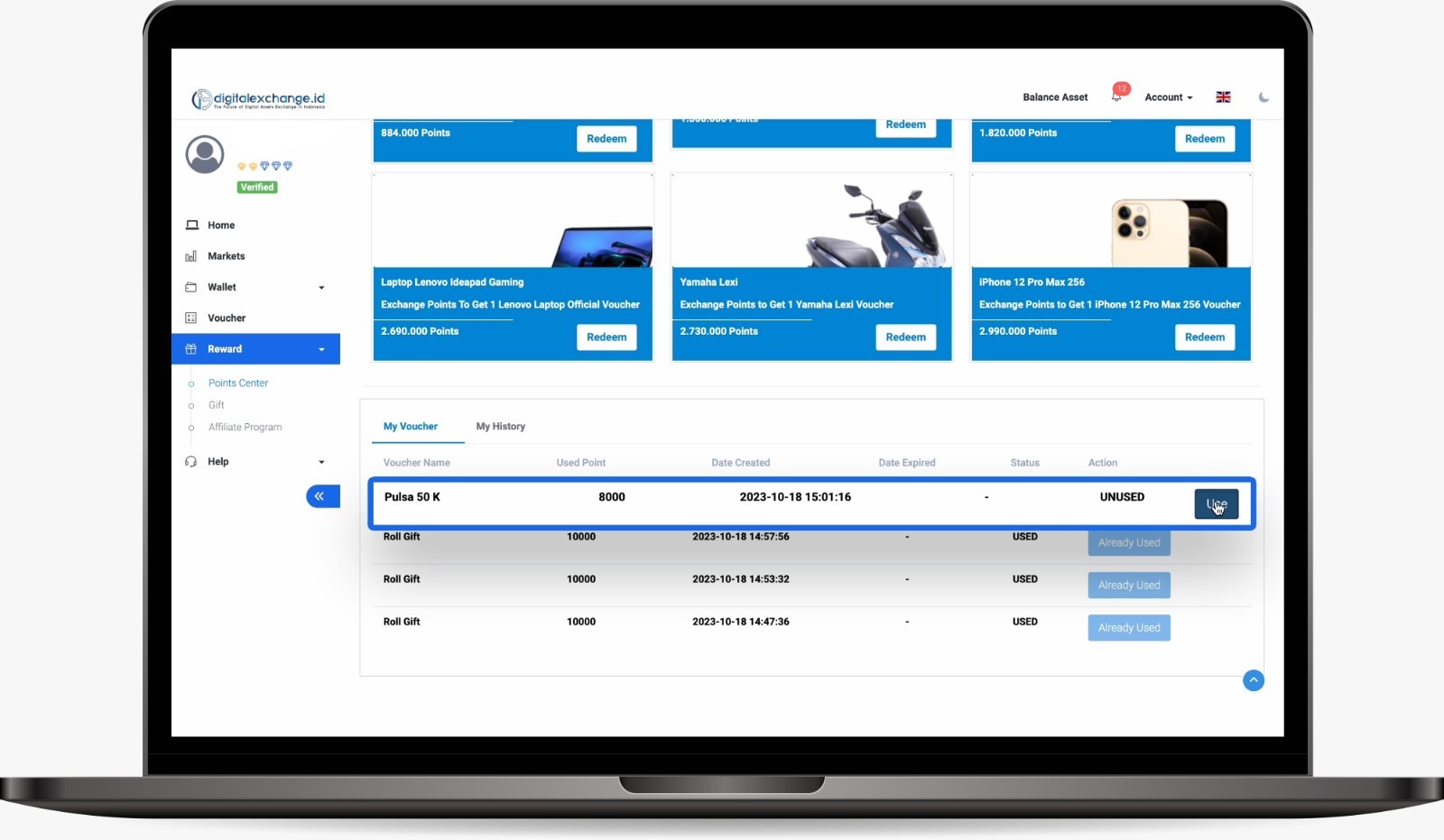
6. Read carefully the Terms and Conditions and how to use it, then click Use
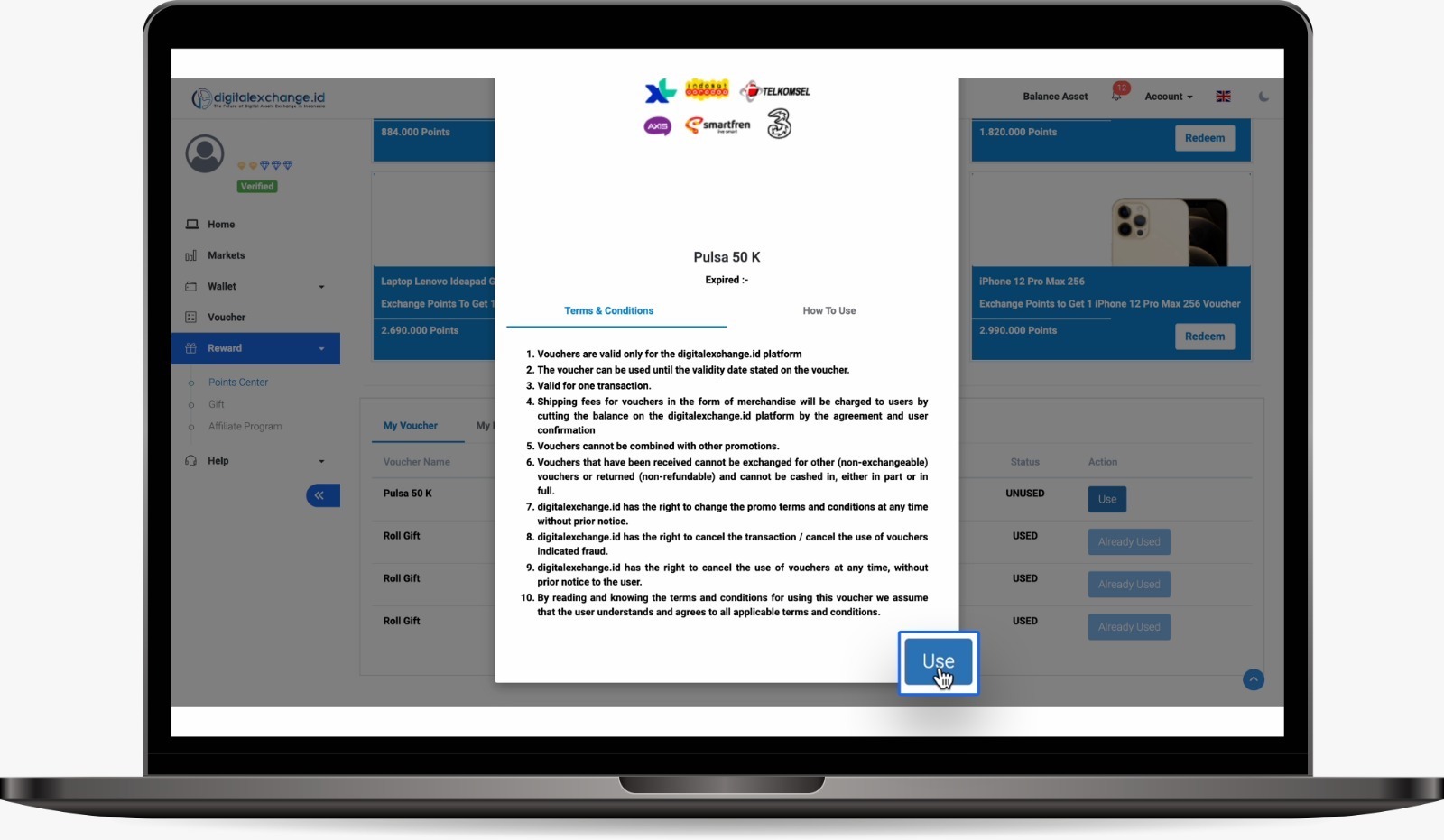
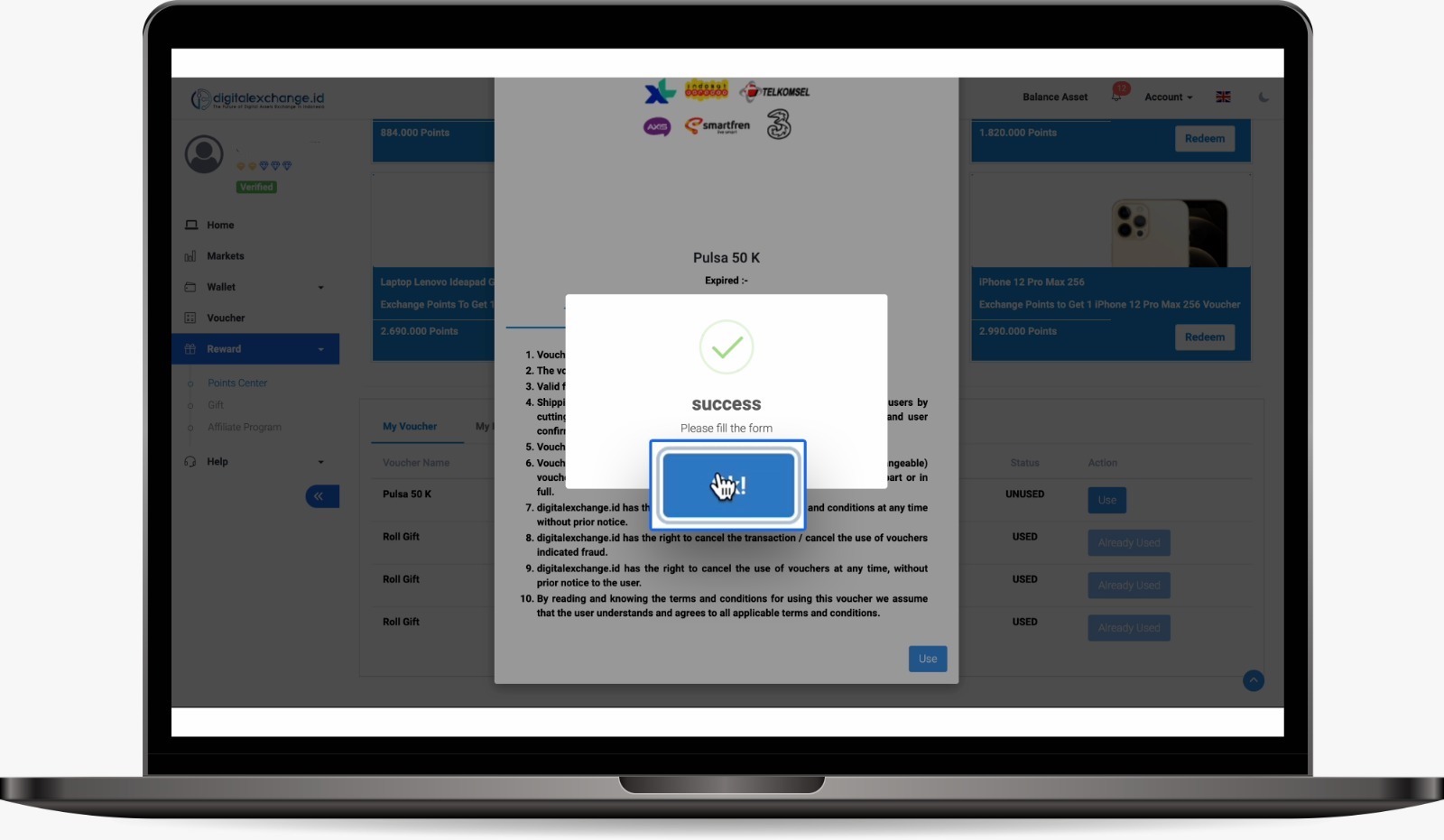
7. Click OK!
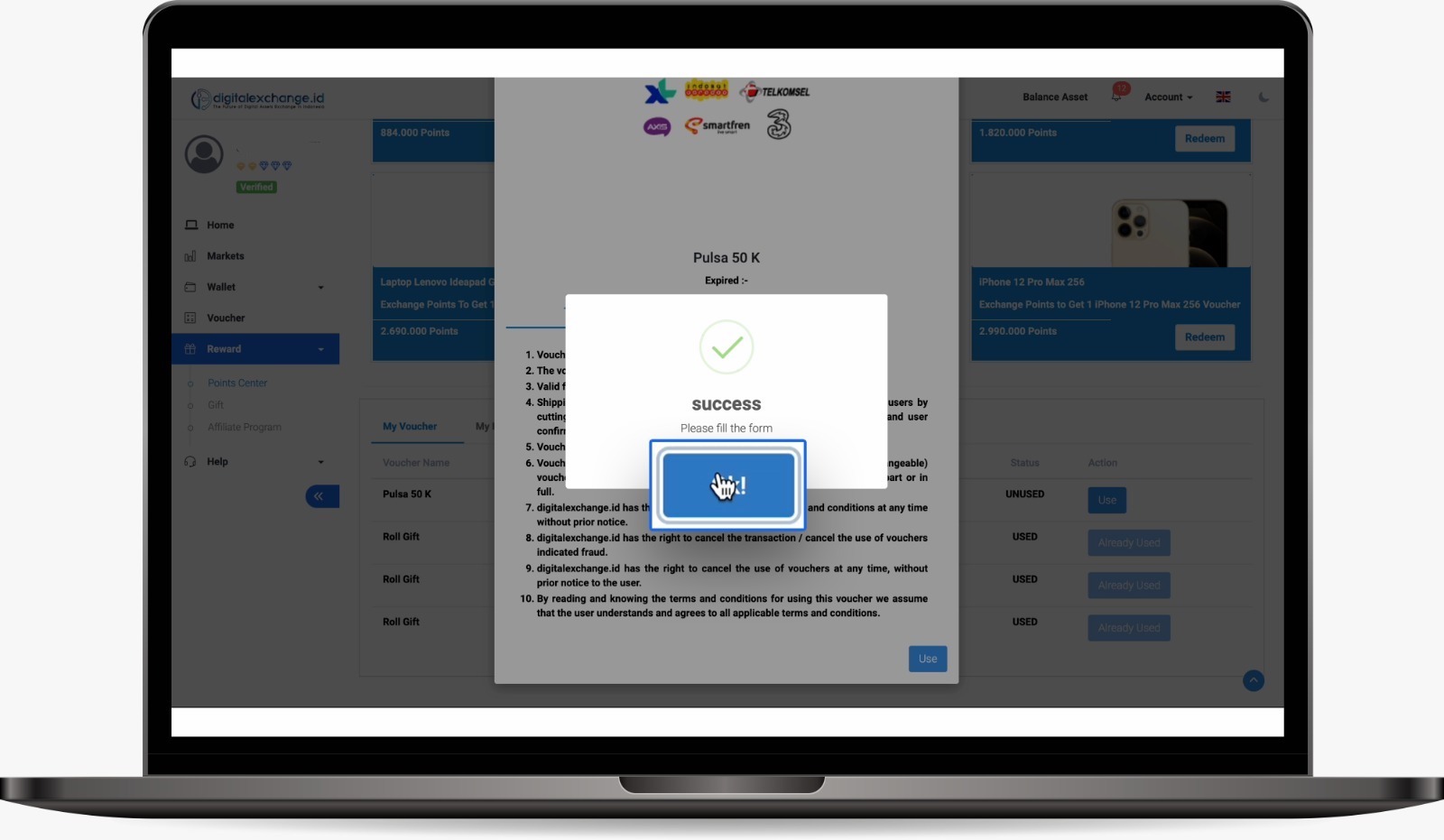
8. Next, scroll down, then click Fill in
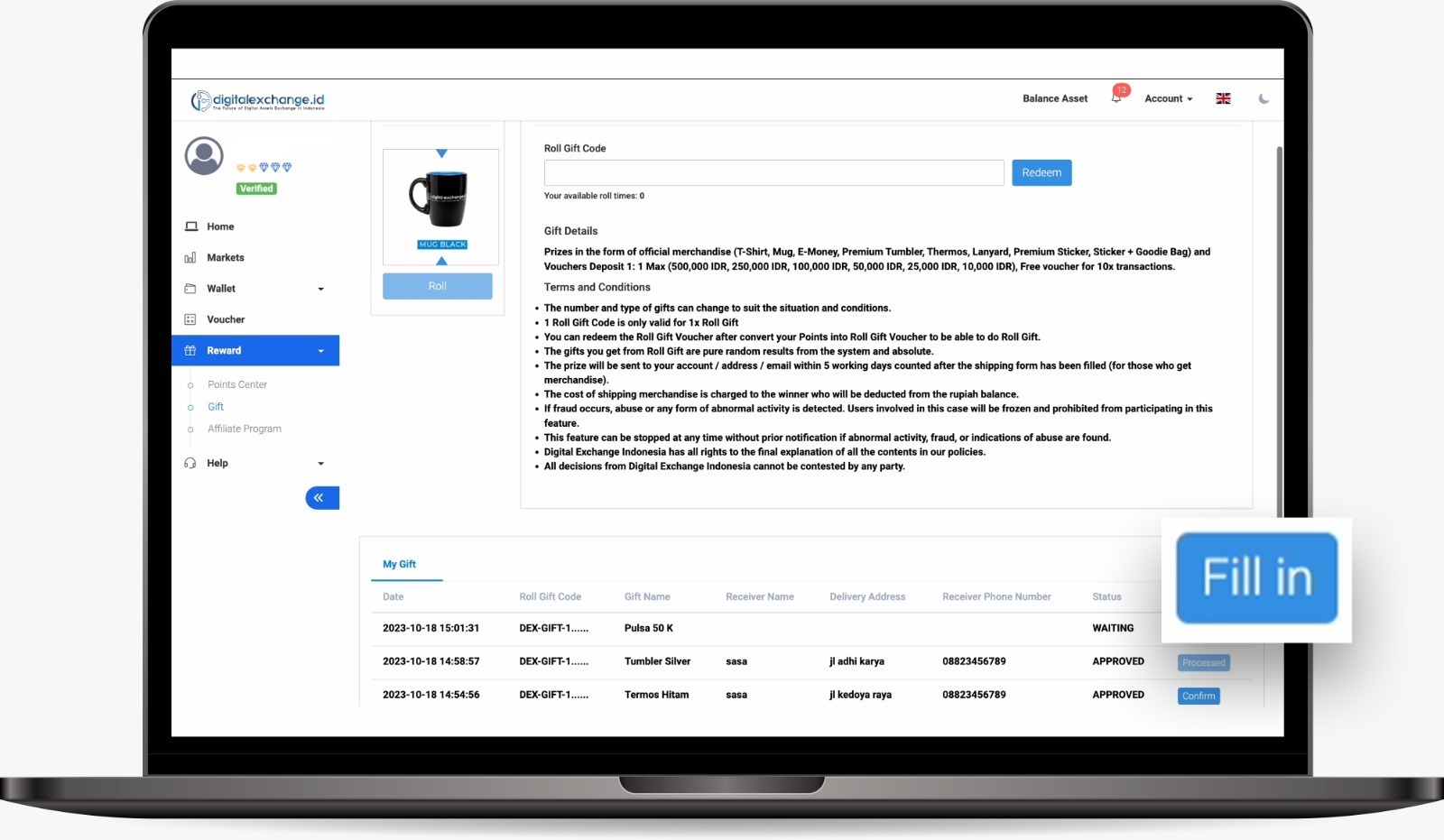
9. Fill in your name, telephone number, and complete address, then click Submit .
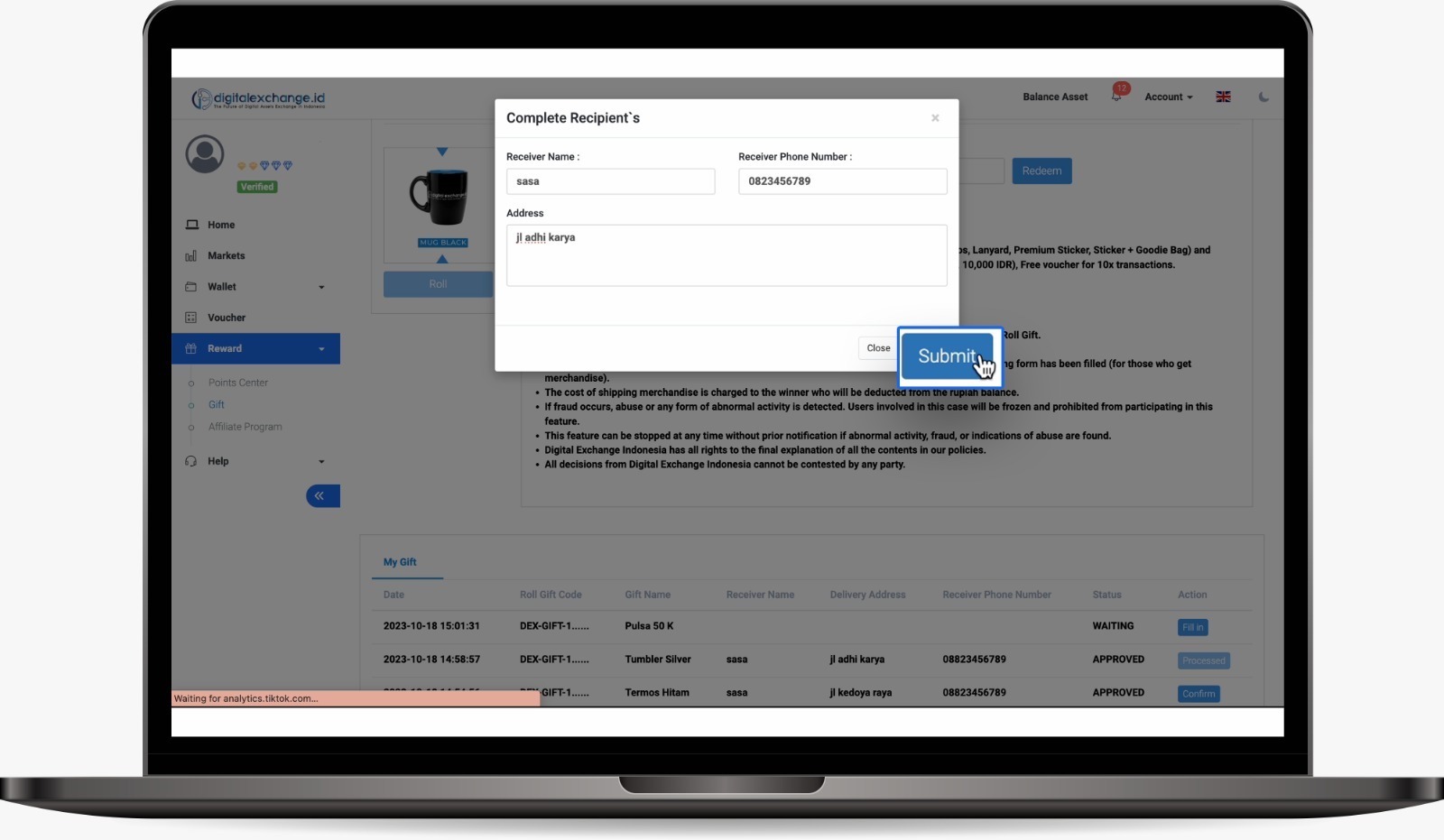
10. Then scroll down and click Confirm
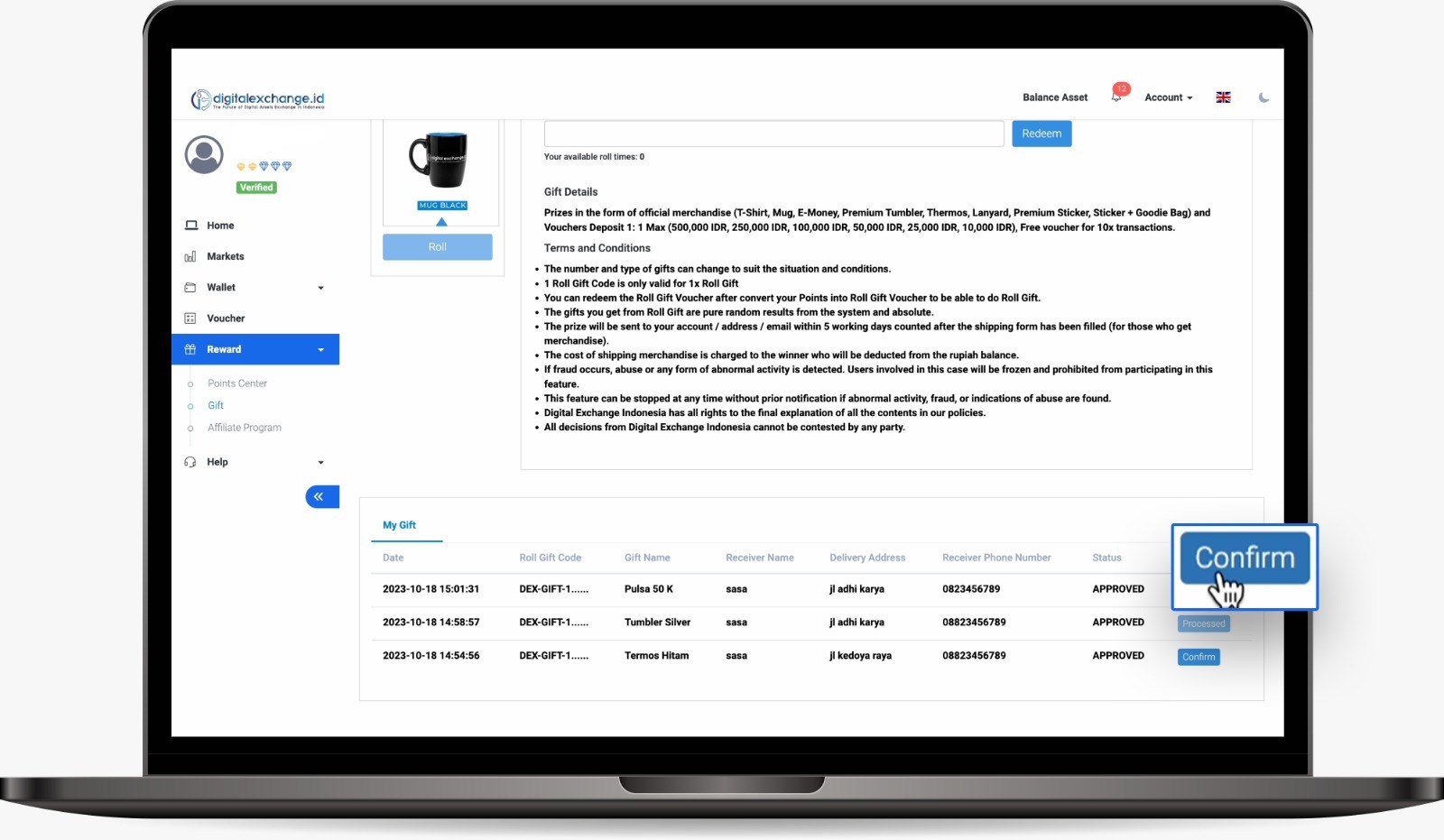
11. Click Confirm
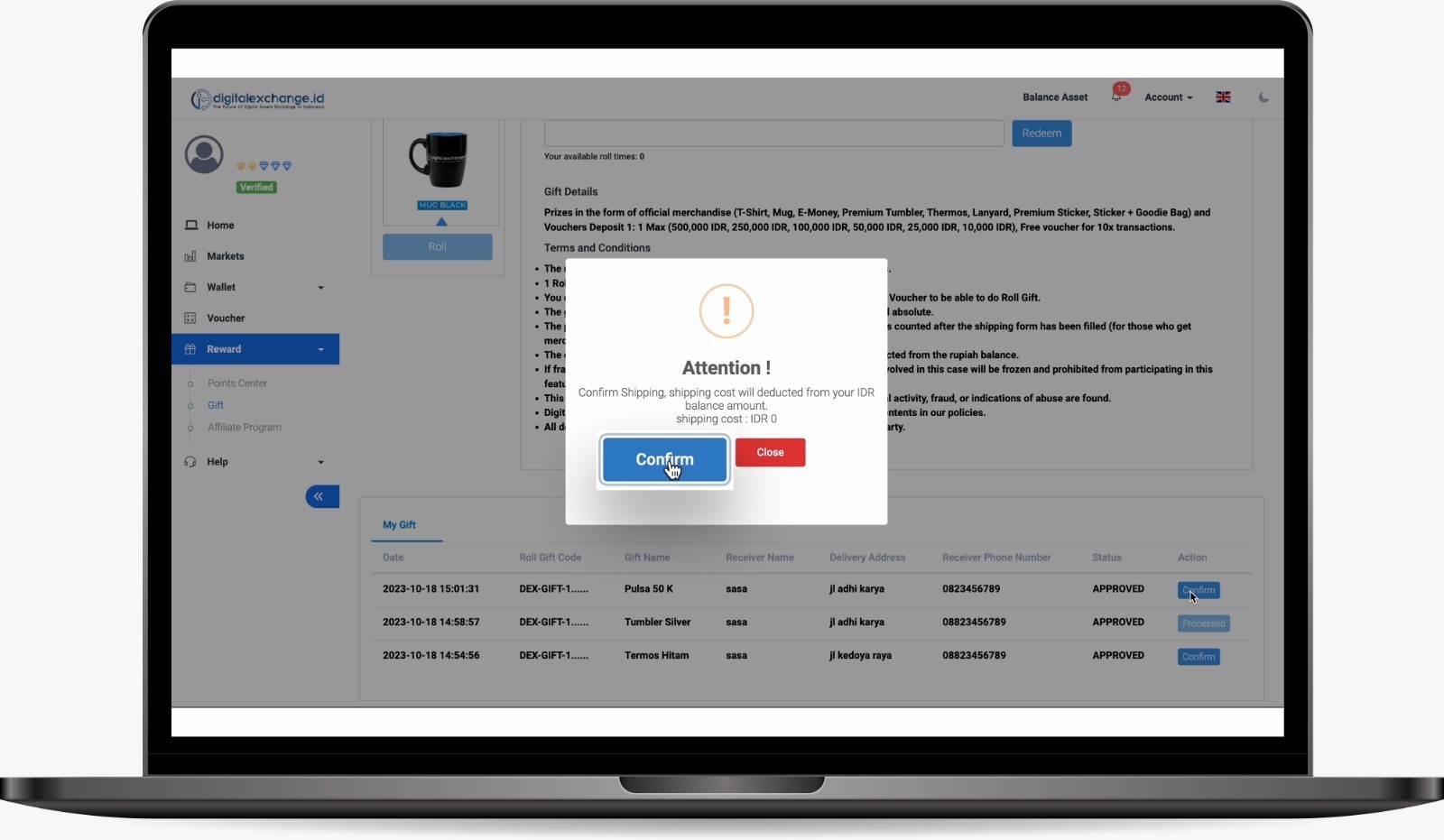
12. Next, click OK!
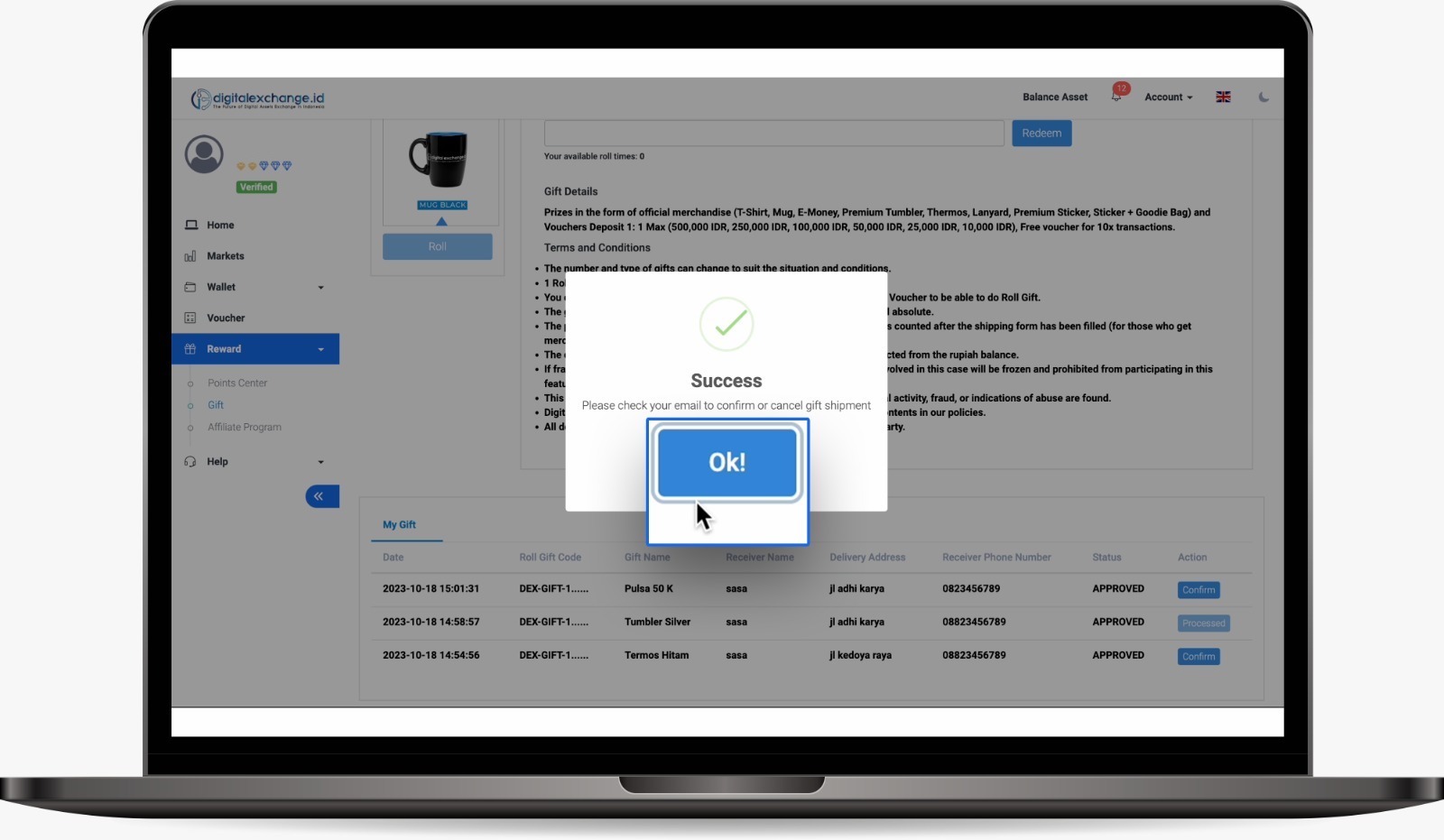
13. Next, open your email inbox/spam. Digitalexchange.id will send you a confirmation email. Then, click Confirm .
14. Yey, your prize is being processed, maximum 7 working days
Was this article helpful?