

How to deposit assets in digitalexchange.id
Updated Short read Deposits and Withdrawals
Contents
Hi Kriptopers!
Before you can start trading on digitalexchange.id, make sure you've completed the identity verification (KYC) process. Users who have not completed verification will not be able to make any transactions After your account has been verified, you will need to generate a wallet to obtain your wallet address before making a deposit.
Deposit assets via digitalexchange.id website
1. Open digitalexchange.id website and log in using your account;
2. After entering Dashboard menu, click "wallet" menu, which is available on the left, then select the asset you want to deposit and click "deposit";
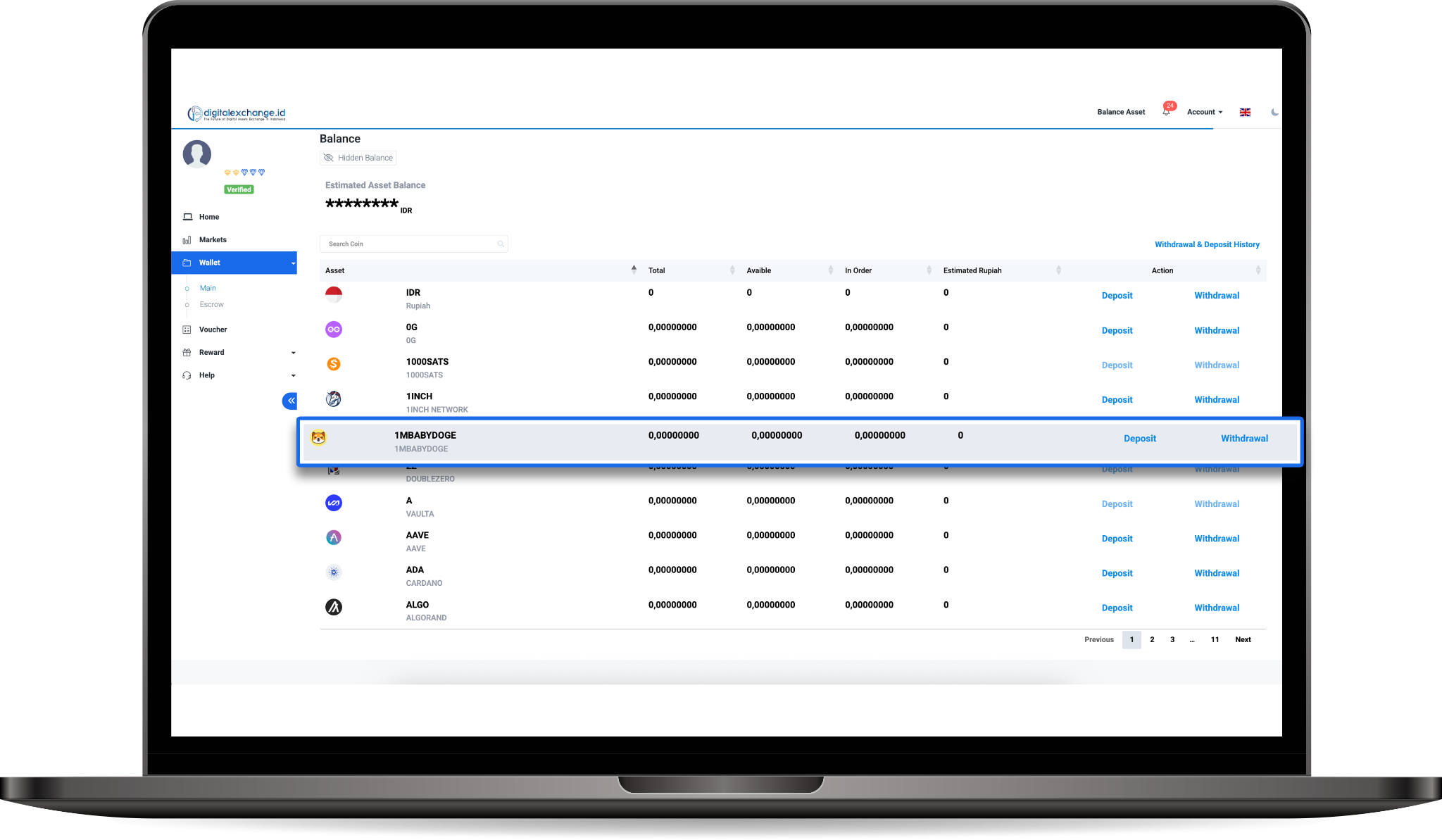
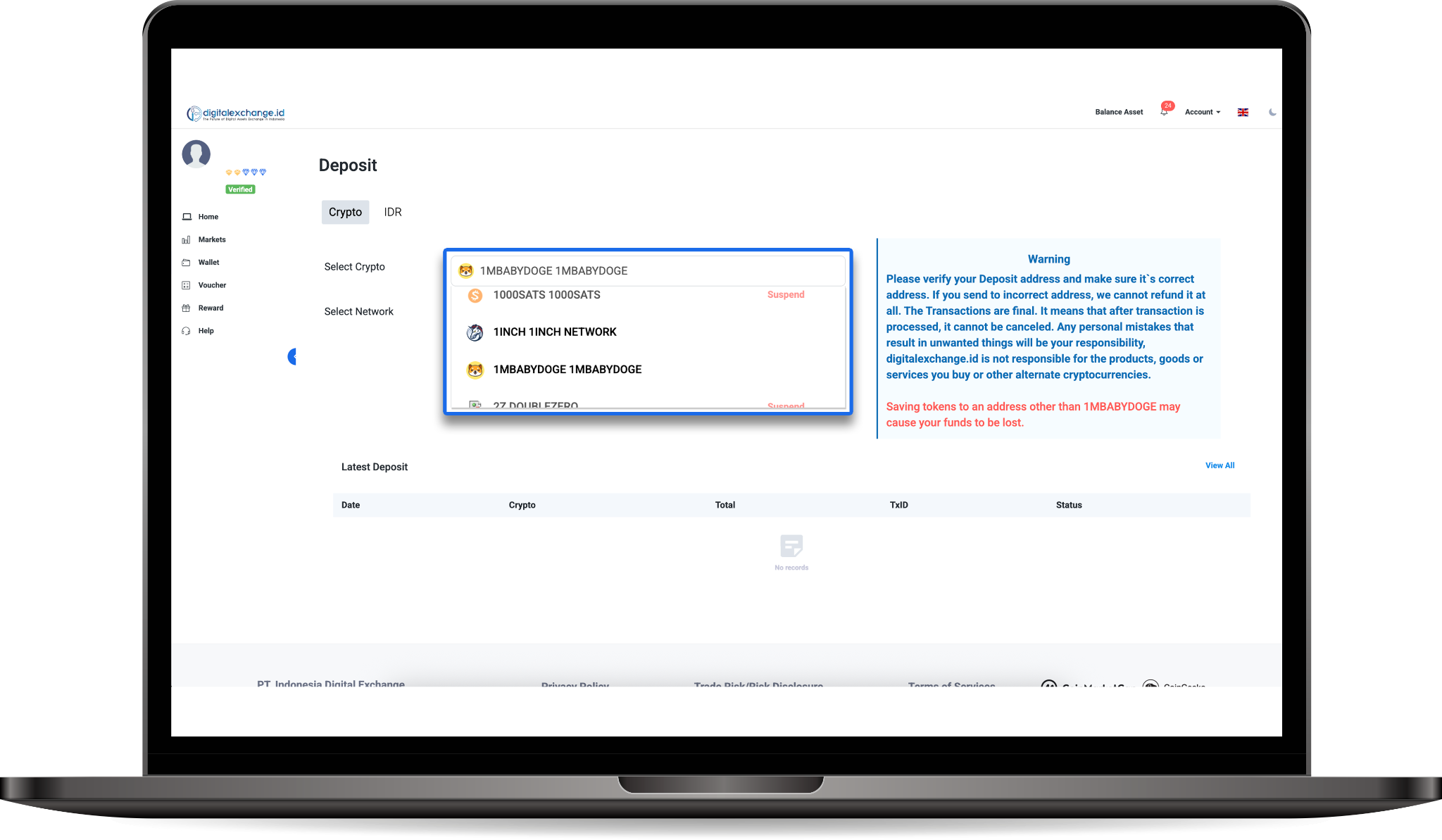
3. For example, If you want to deposit 1MBABYDOGE, make sure you select 1MBABYDOGE in the "Select Crypto Asset" field. You can also use this field to select other assets you want to deposit.
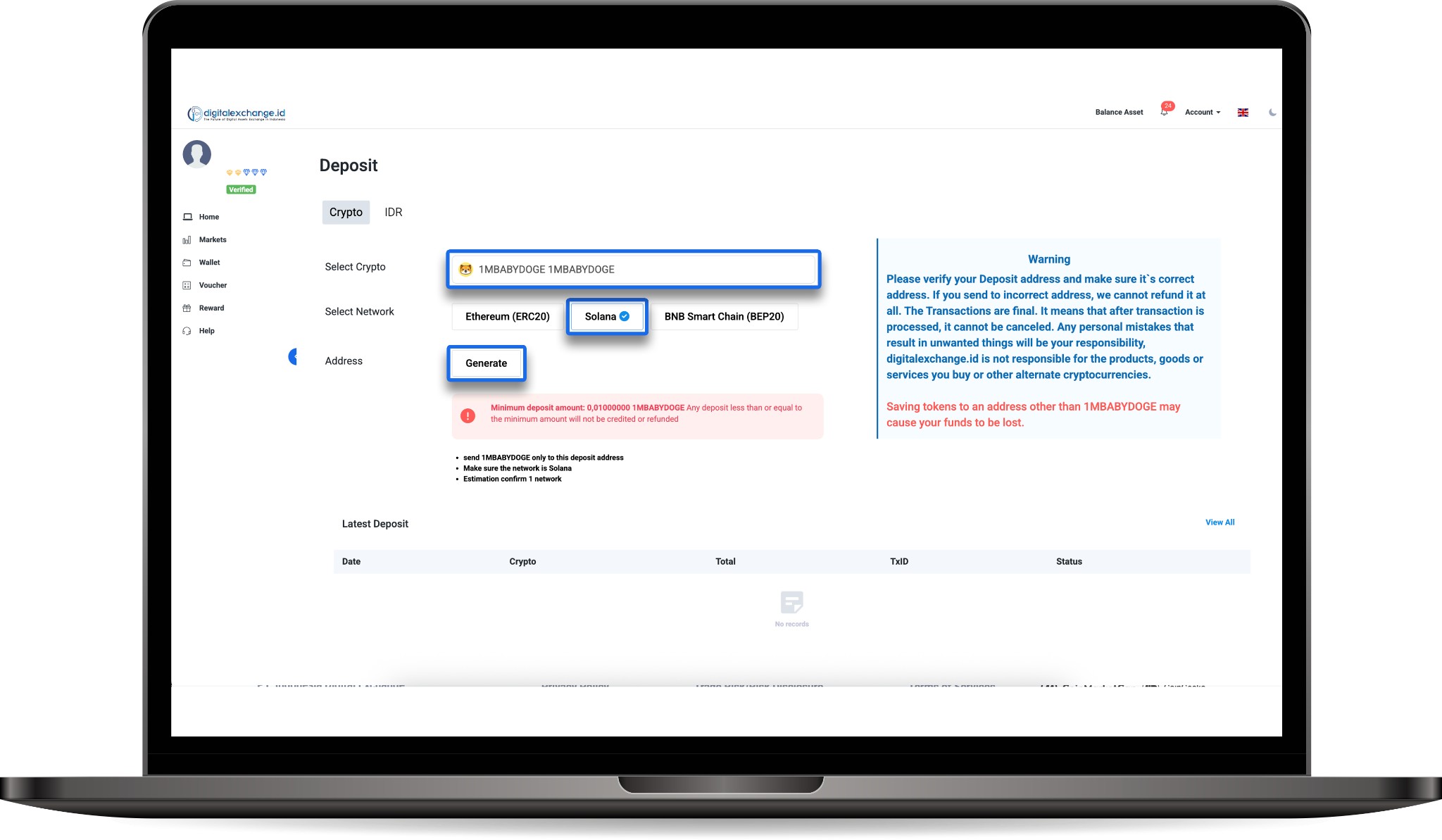
4. Then select the available network, each network has different fees and speeds, so make sure you choose the network that matches your destination address, click “Generate”.
5. Then, copy the wallet address and the memo, if available. Some assets require a memo to complete the transaction.
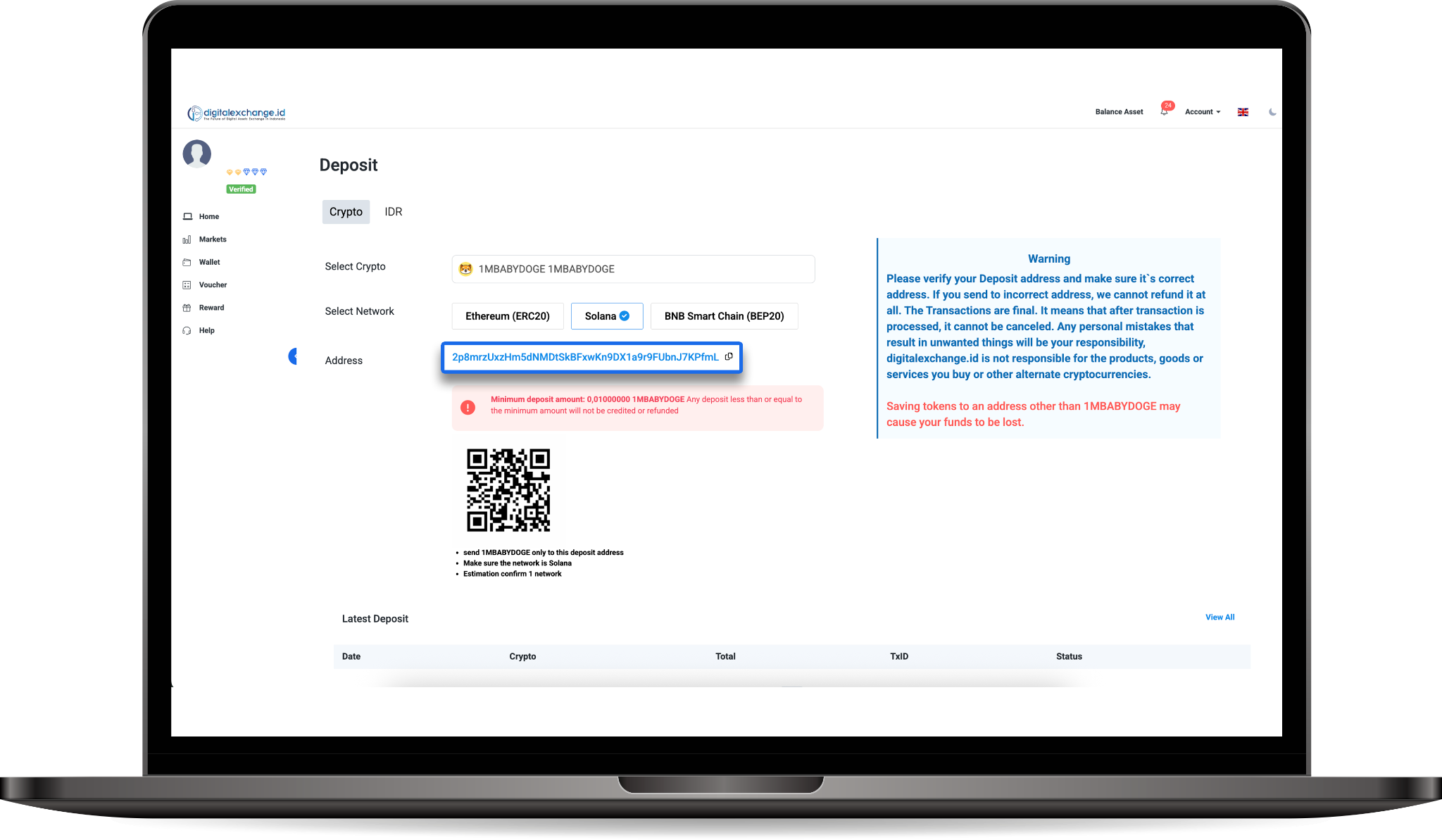
6. Copy the wallet address and complete the deposit process until it is complete. Don't forget to always read the warnings provided to make your transaction process easier.
7. Once completed, your asset deposit will automatically be credited to your digitalexchange.id account.
--------------------------------------------------------------------------------------------------
Deposit assets via the digitalexchange.id mobile application:
1. Open the digitalexchange.id website and log in using your account;
2. On the Dashboard menu display, select “wallet” menu,
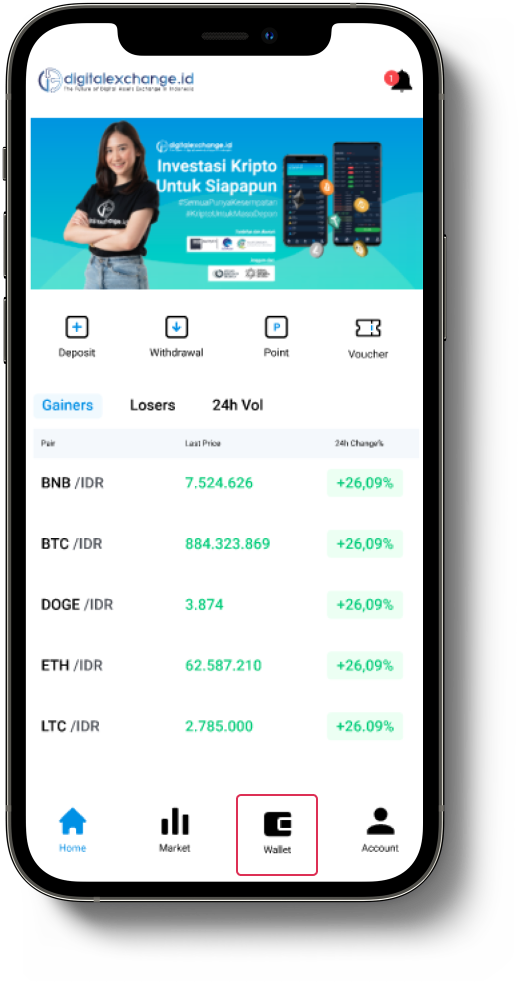
3. Click “Deposit”,
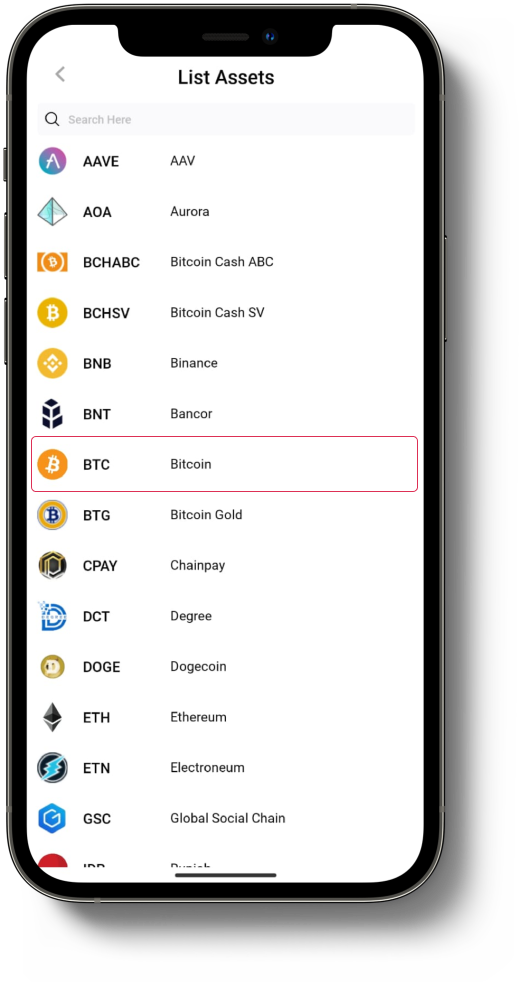
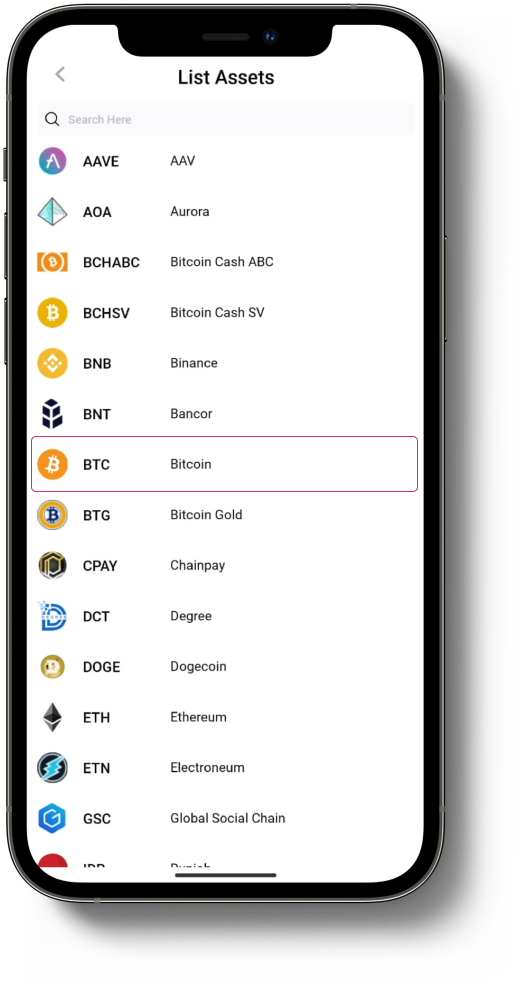
4. Then select the asset you want to deposit, for example we will deposit of the asset “BTC”,
5. Select BNB asset, then choose the network you want to use. Each network has different transaction fees and processing speeds, So make sure to select the network that matches your destination address. Once you've selected the correct network, click "Generate".
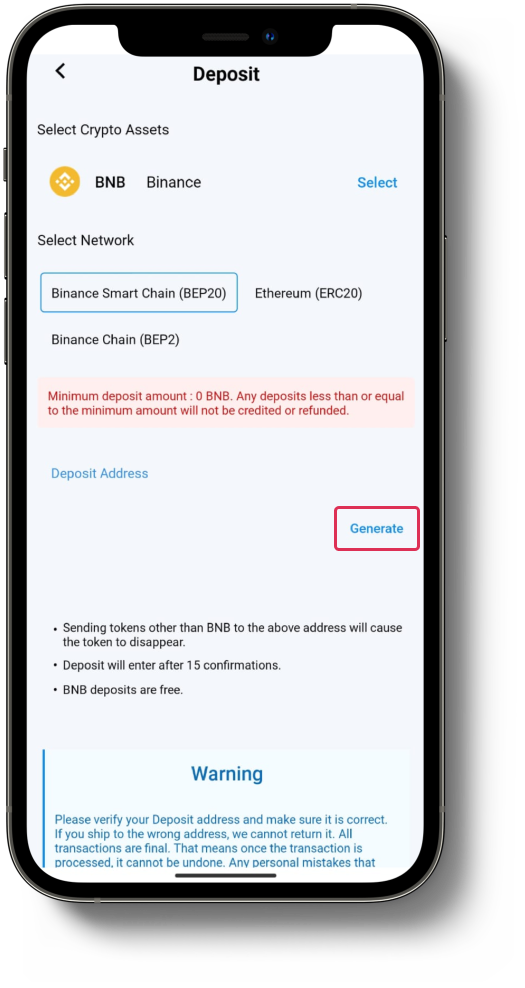
6. Copy wallet address.
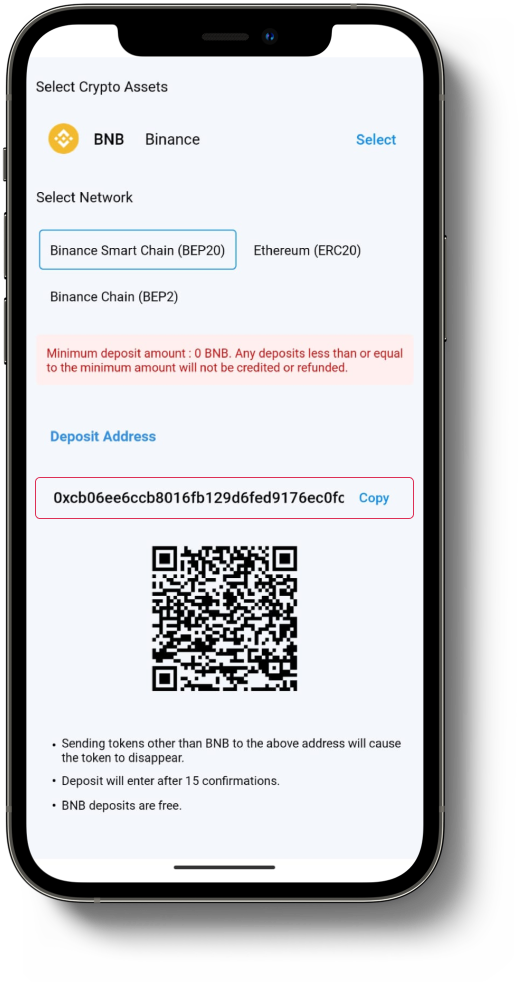
7. Complete the deposit process until it is complete. Don't forget to always read the warnings provided to make your transaction process easier.
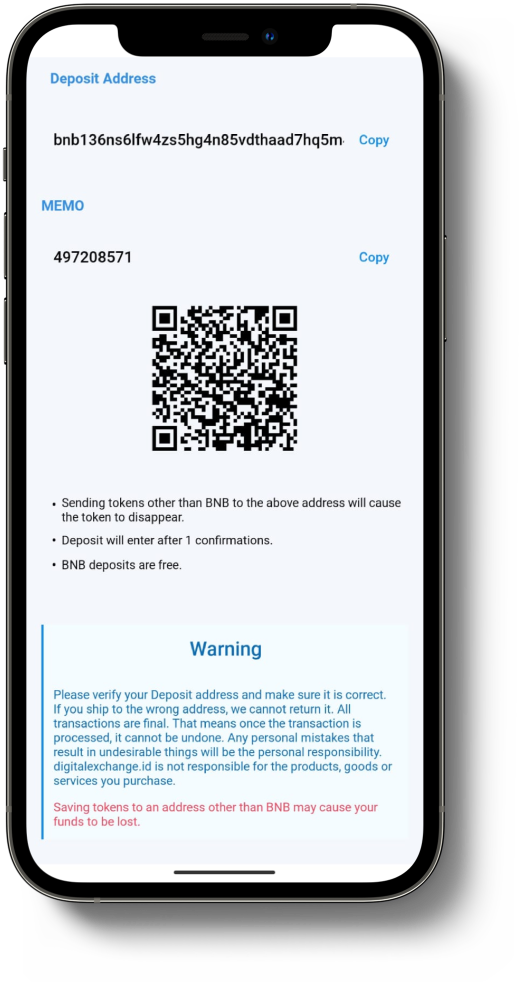
8. Once completed, your asset deposit will automatically be credited to your digitalexchange.id account.
Please note!
Always ensure that both the asset and the network match the deposit address generated on digitalexchange.id
Correct Example: If you are depositing TRX, send it to a TRX deposit address using the TRON (TRC20) network.
Incorrect Example: If you are depositing TRX, do not send it to an ETH deposit address on digitalexchange.id
Was this article helpful?