

How to change your password Mobile & Website digitalexchange.id ?
Updated Short read Getting Started
Contents
Follow these steps to change your account password:
Mobile :
1. Log in to your digitalexchange.id account, then click Account.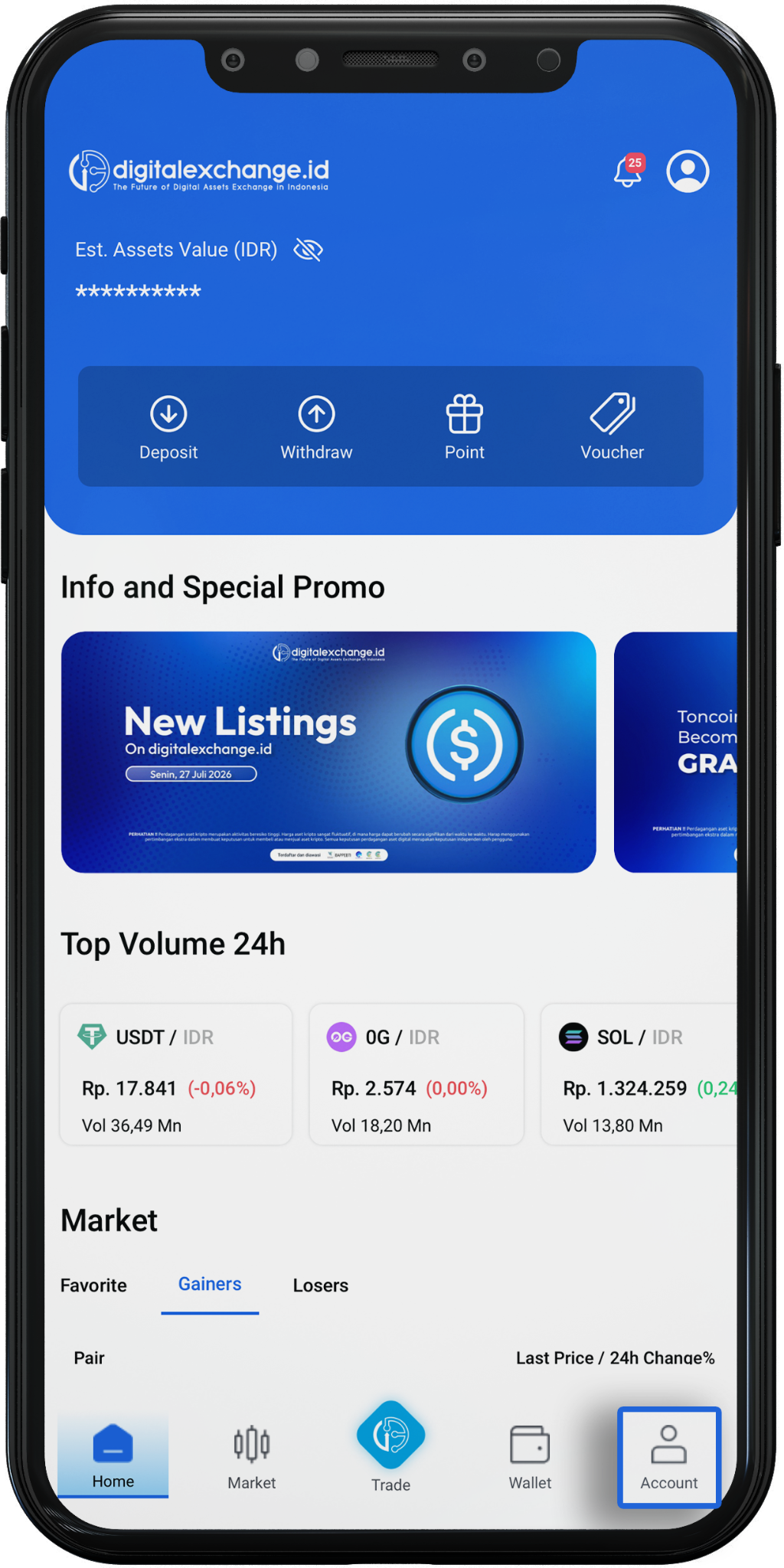
2. Click Security Level.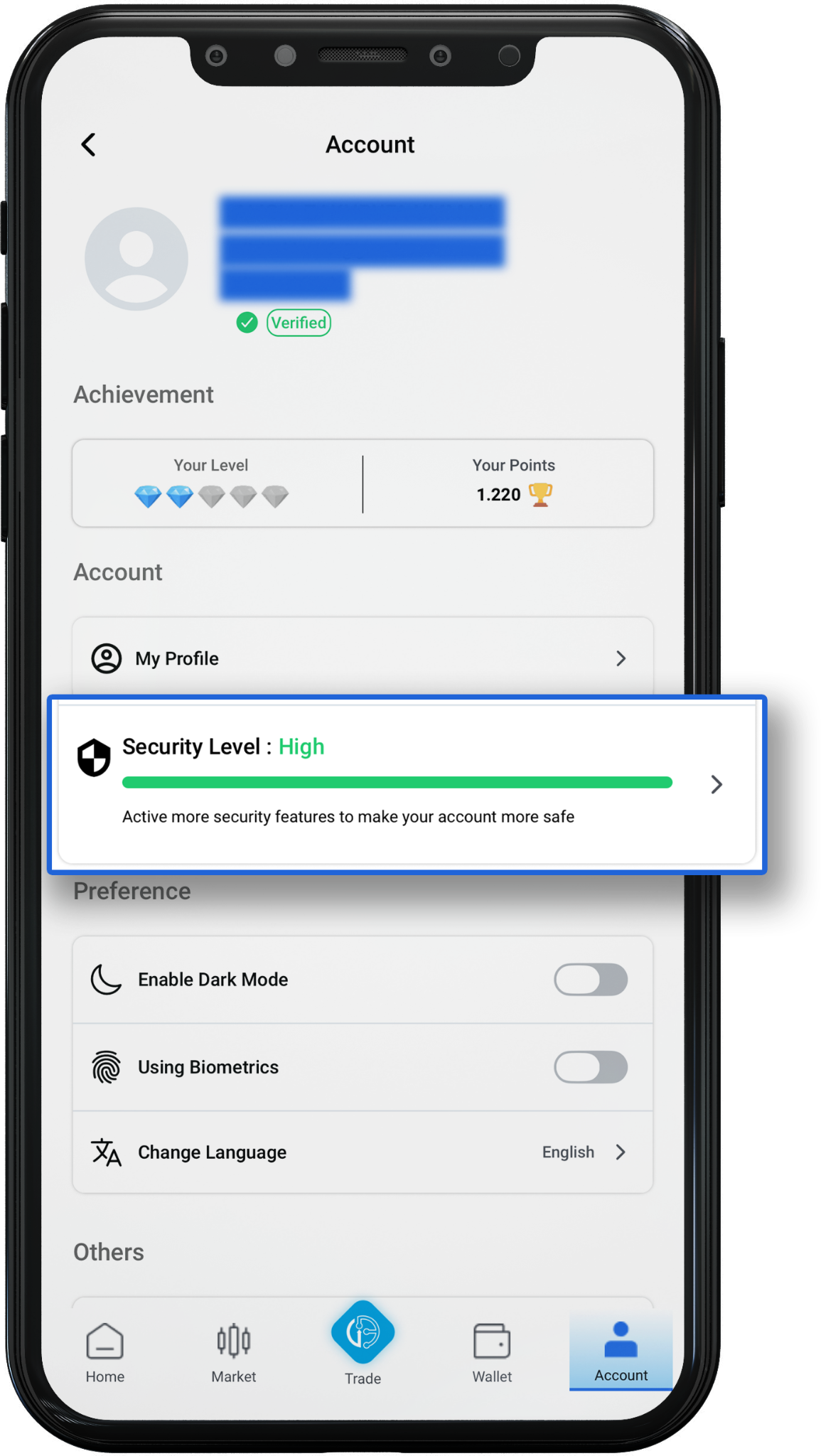
3. Click Change password.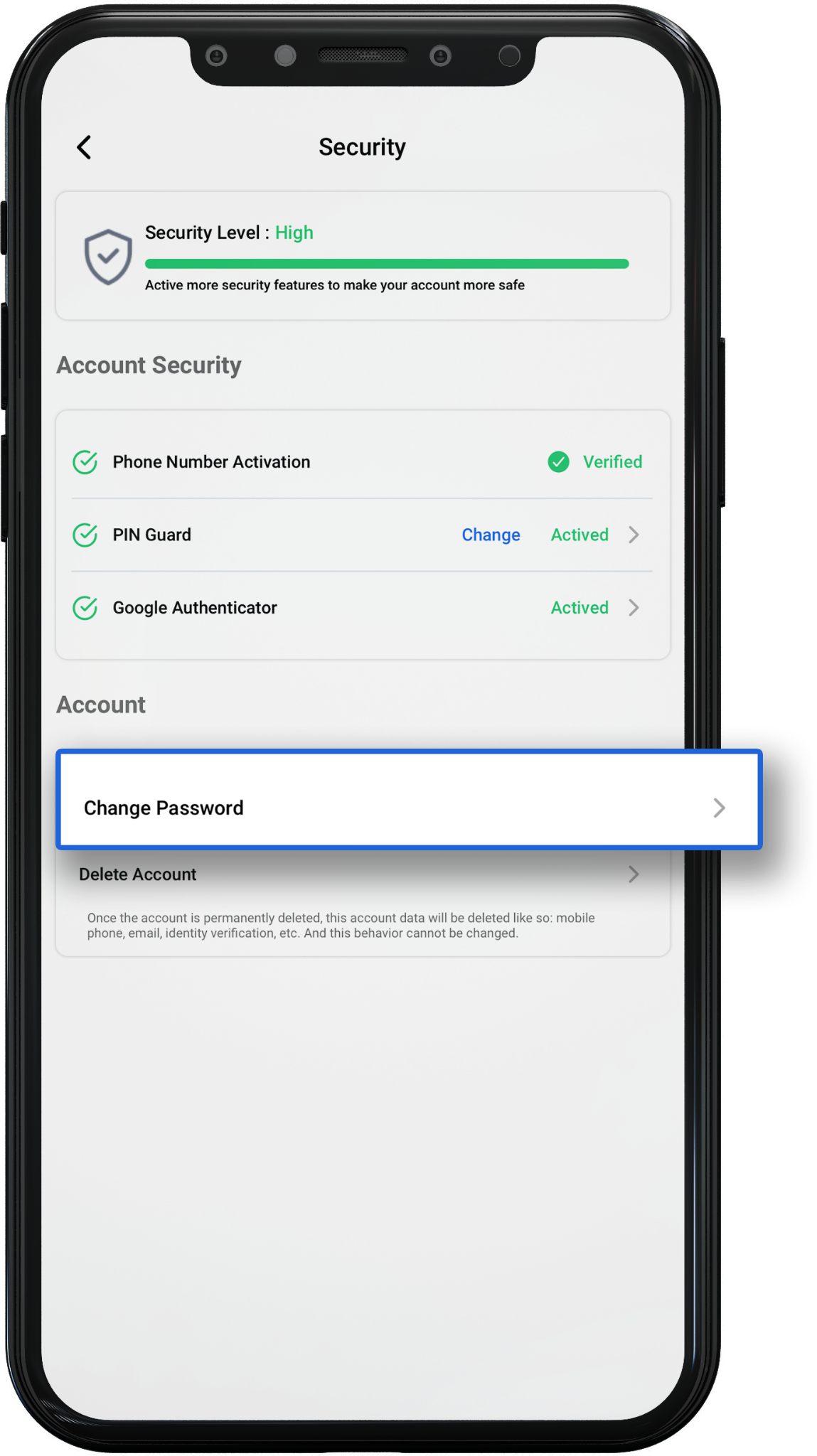
4. Edit Password
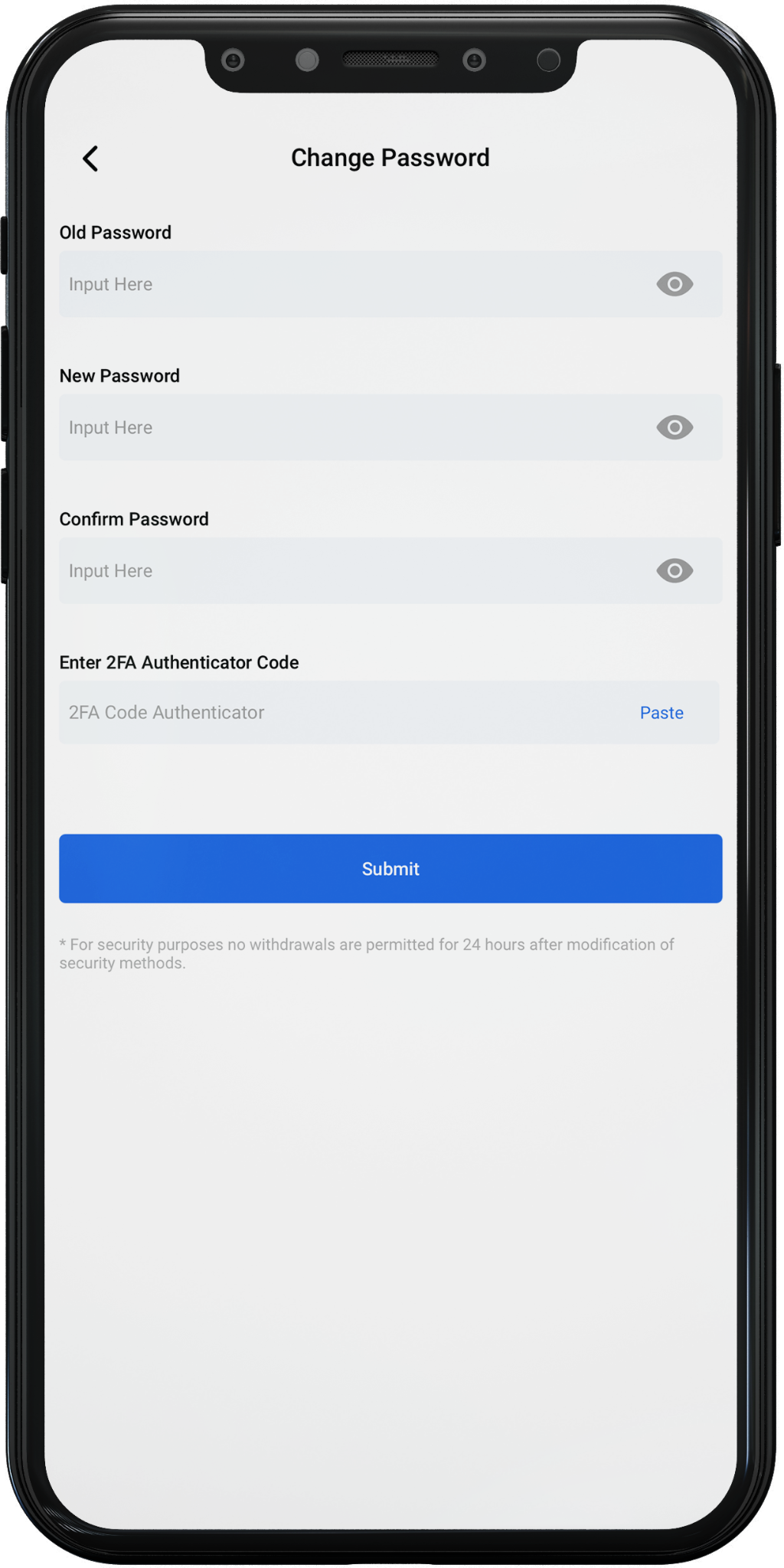
1. Enter your current/old password.
2. Enter your new password.
3. Re-enter your new password in the Confirm Password field.
4. Enter the 2FA Authenticator Code in the Google Authenticator application.
5. Click Submit.
Website :
1. Log in to your web digitalexchange.id account,
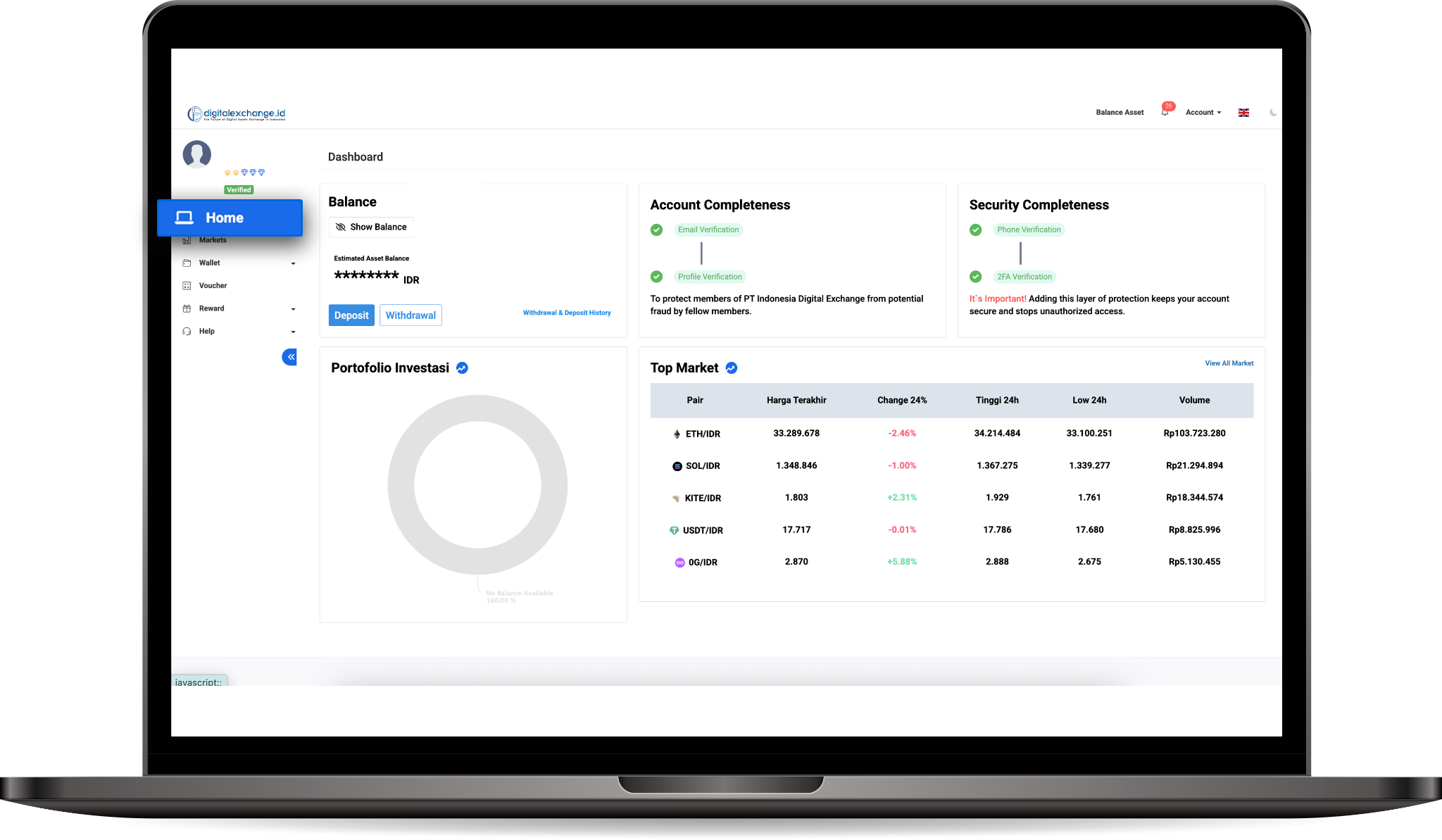
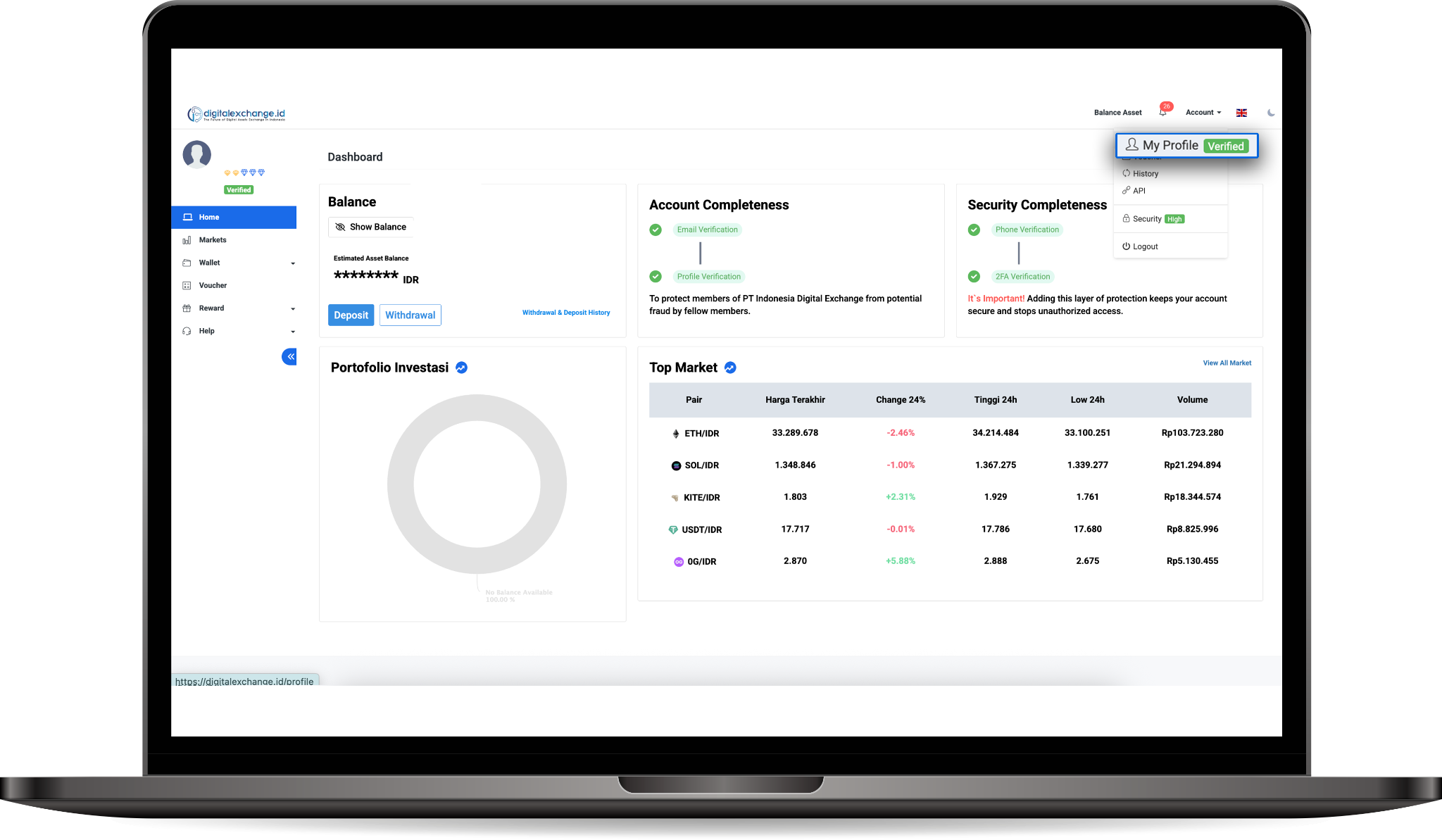
3. Click My Profile.
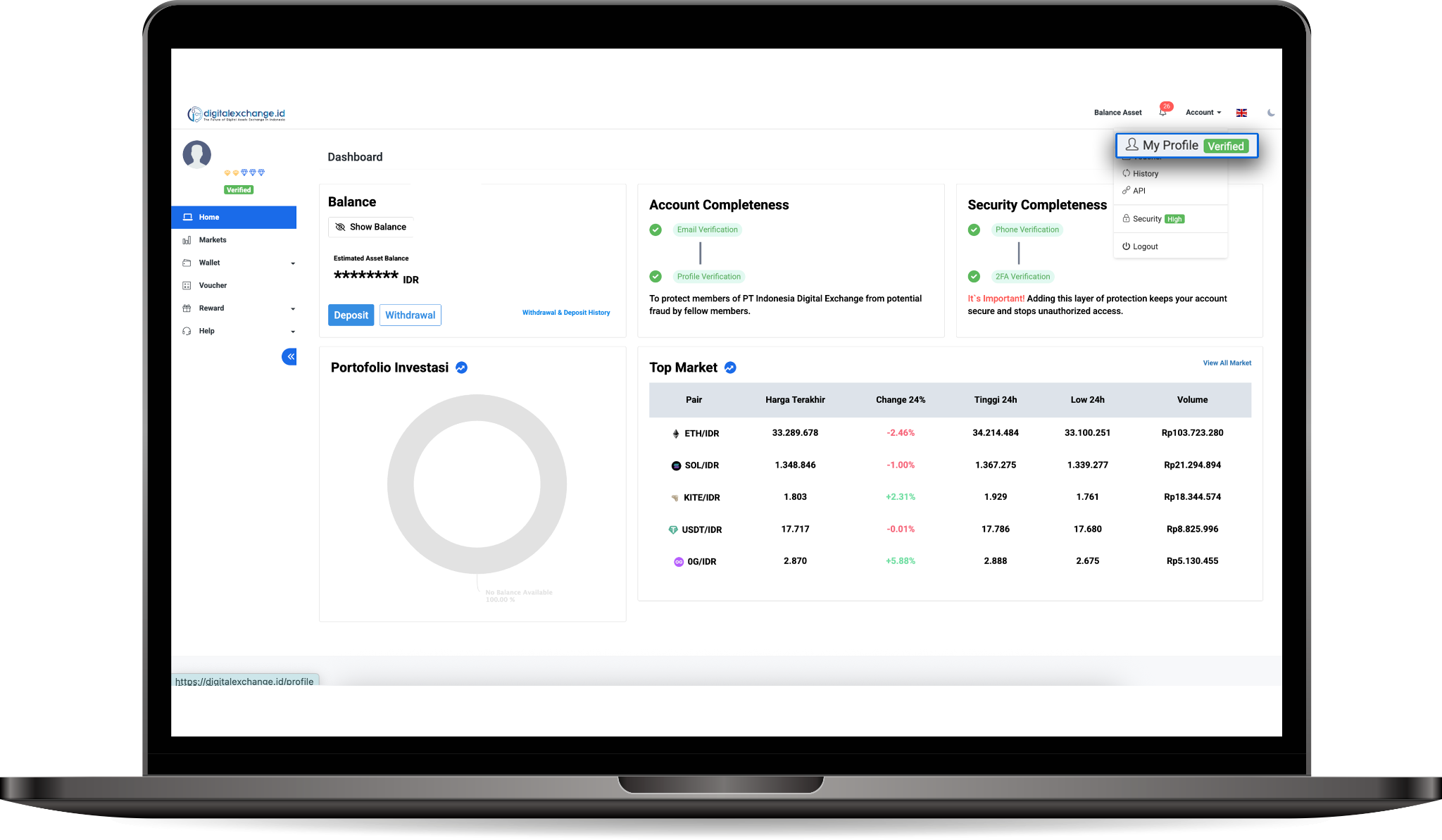
4. Click Change password.
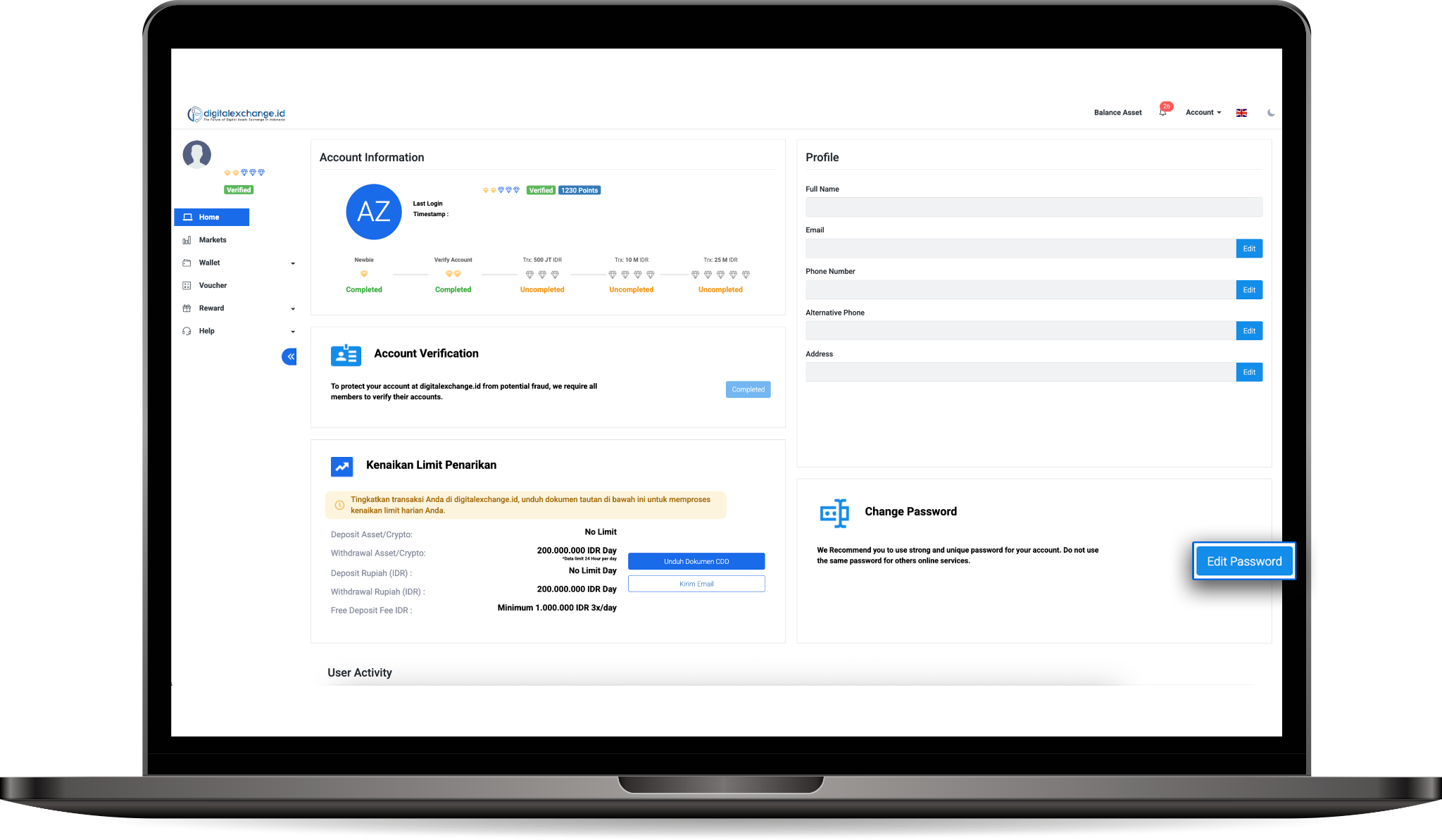
5. Edit Password
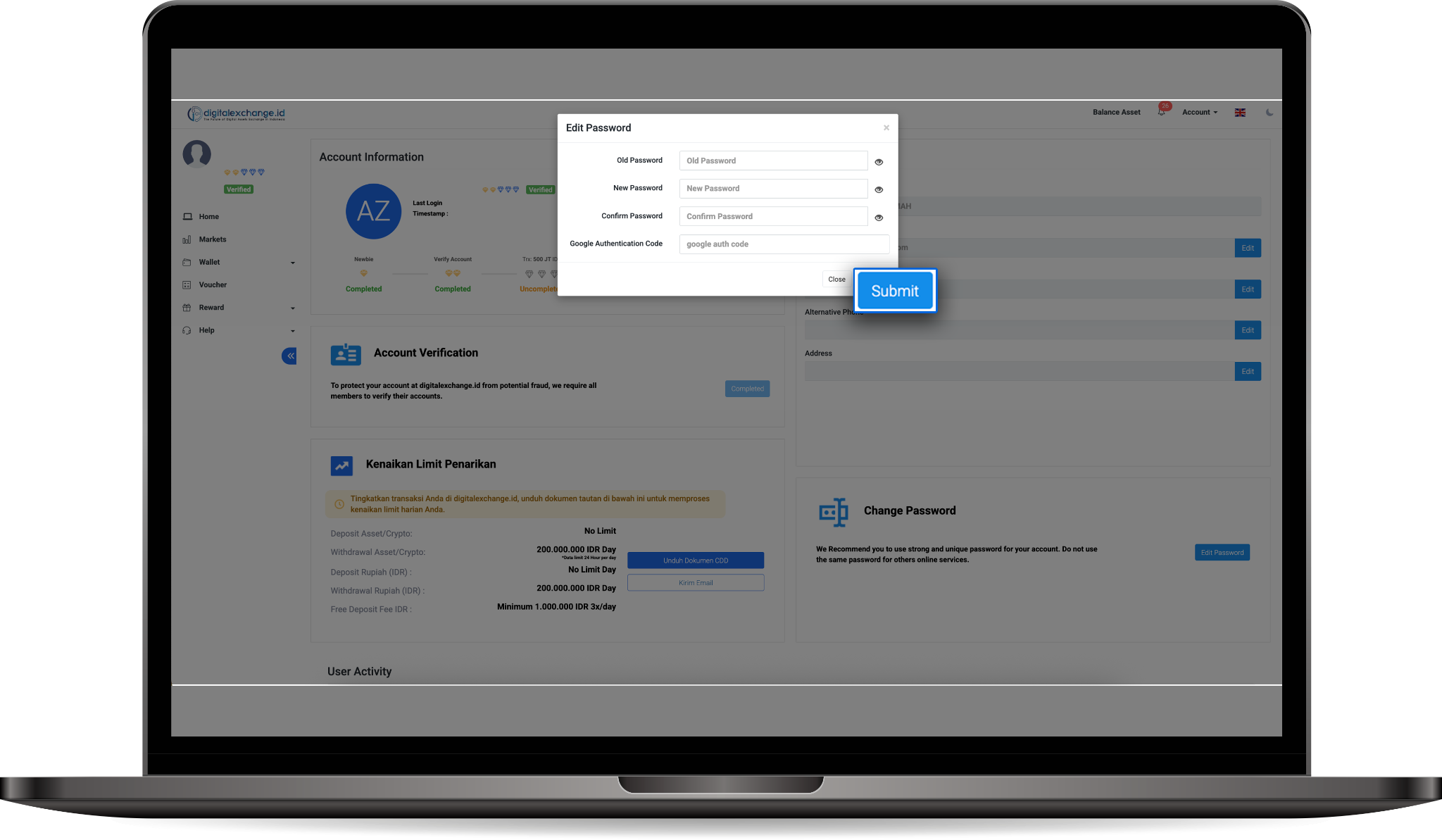
1. Enter your current / old password.
2. Enter your new password.
3. Re-enter your new password in the Confirm Password field.
4. Enter the 2FA Authenticator Code in the Google Authenticator application.
5. Click Submit.
Was this article helpful?