

How to Deposit IDR on digitalexchange.id
Updated Short read Deposits and Withdrawals
Contents
Here’s how to deposit IDR on digitalexchange.id:
If you want to start a transaction on digitalexchange.id, make sure you've completed the personal data verification process. If you haven't verified your personal data, you won't be able to make any transactions. Here's how to deposit IDR on digitalexchange.id:
Open the digitalexchange.id website and log in using your account.

Enter your 2FA code from Google Authenticator on your phone.

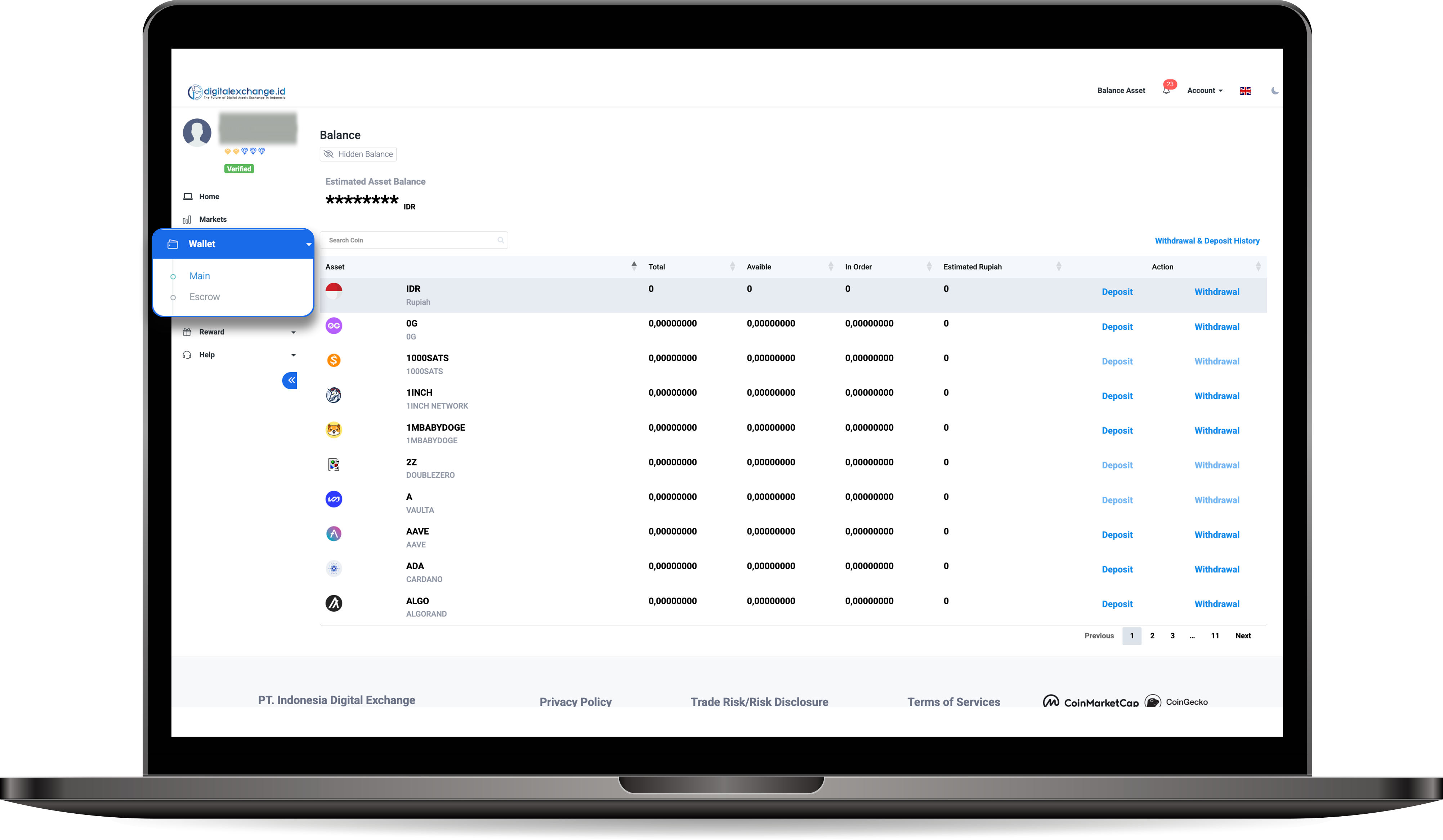
Once you're on the Dashboard homepage, select Wallet, then click on Main.
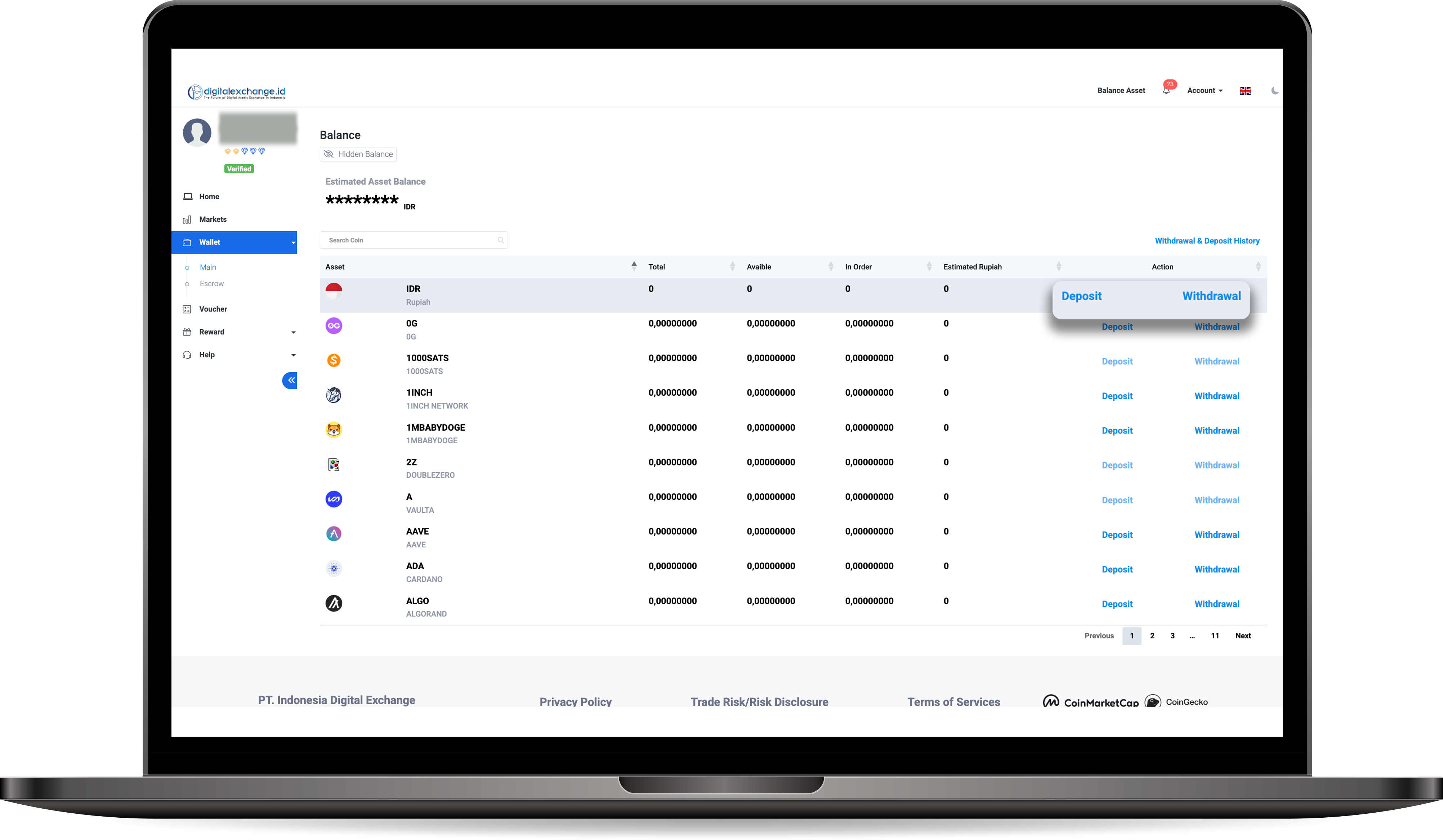
Next, click Deposit under the Rupiah asset.
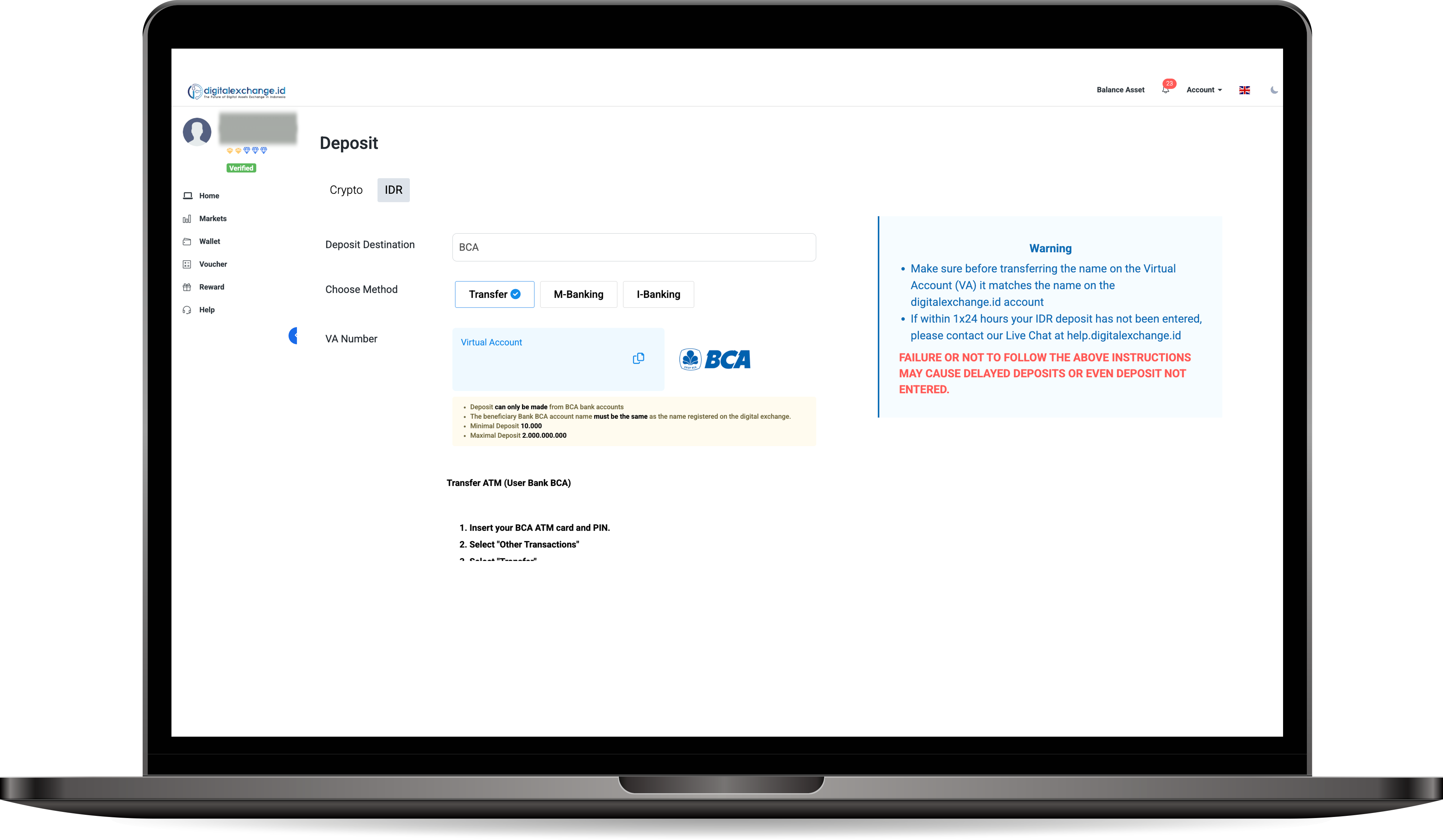
Select your destination bank, then choose a payment method, then copy the Virtual Account number and complete the deposit process. Don't forget to always read the warnings provided to make your transaction process easier.
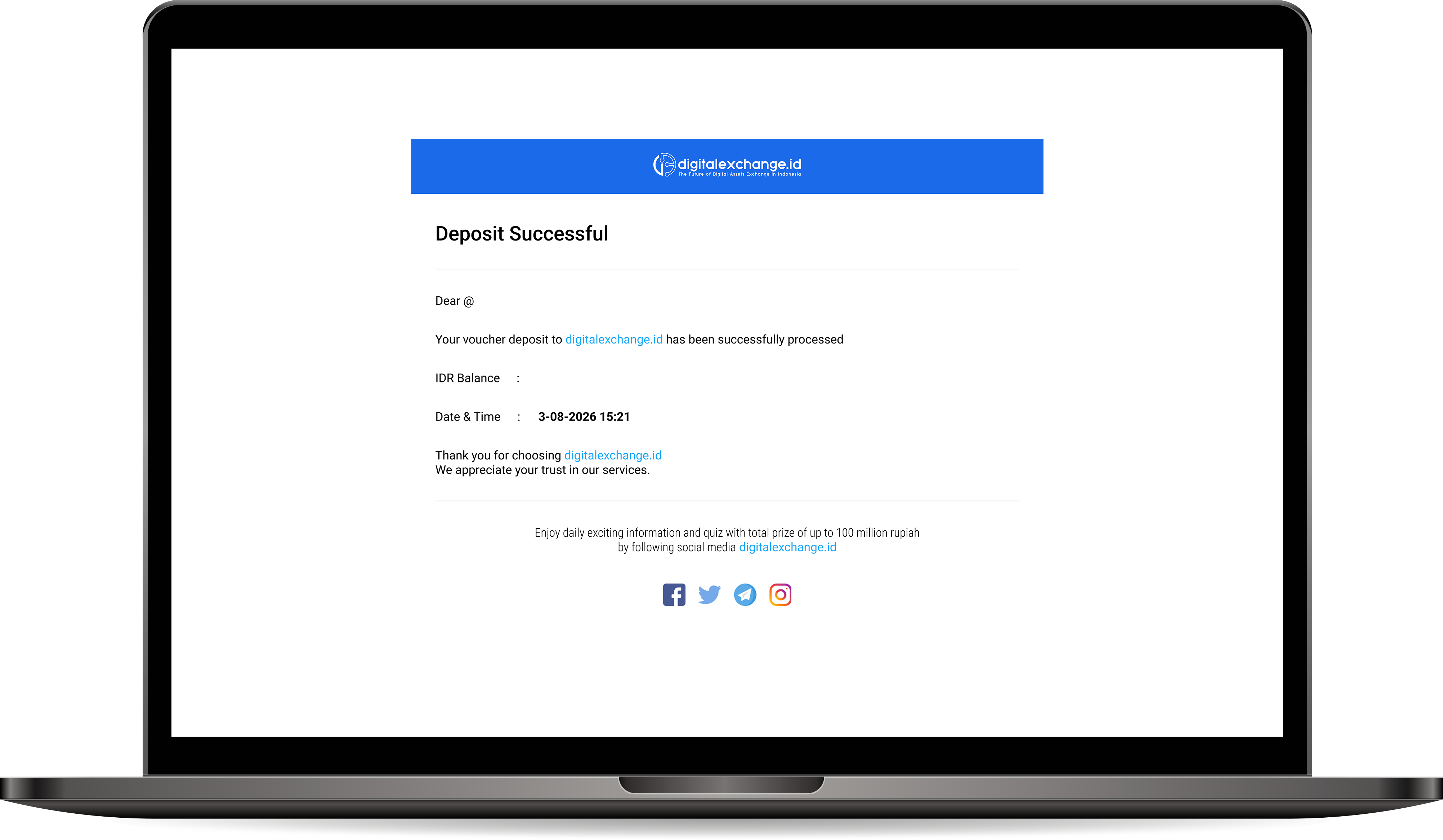
After that, you will receive an email notification.
Note:
- The minimum buy/sell order in the IDR New market is 6 USD.
- The minimum buy/sell order in the IDR market is Rp 50,000.
Was this article helpful?