

How to Buy and Sell on digitalexchange.id website
Updated Short read Getting Started
Contents
Hi Kriptopers!, how do I buy and sell digital assets on digitalexchange.id?
you can follow the method below!
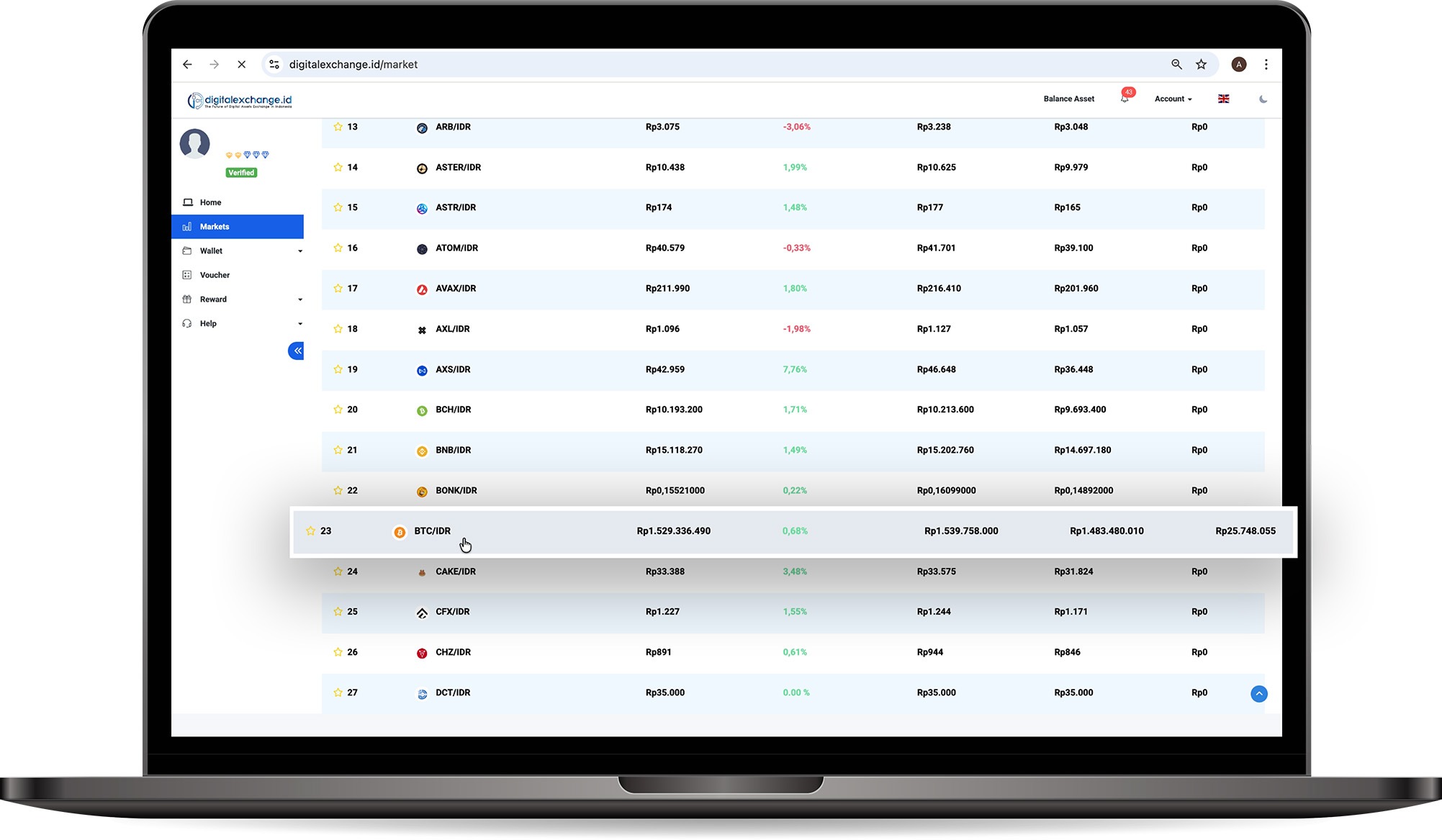
- Go to the "Home" section of the digitalexchange.id website, open the Market feature, then search the crypto asset you wish to purchase.
Click on Assets, here we take an example (BTC).
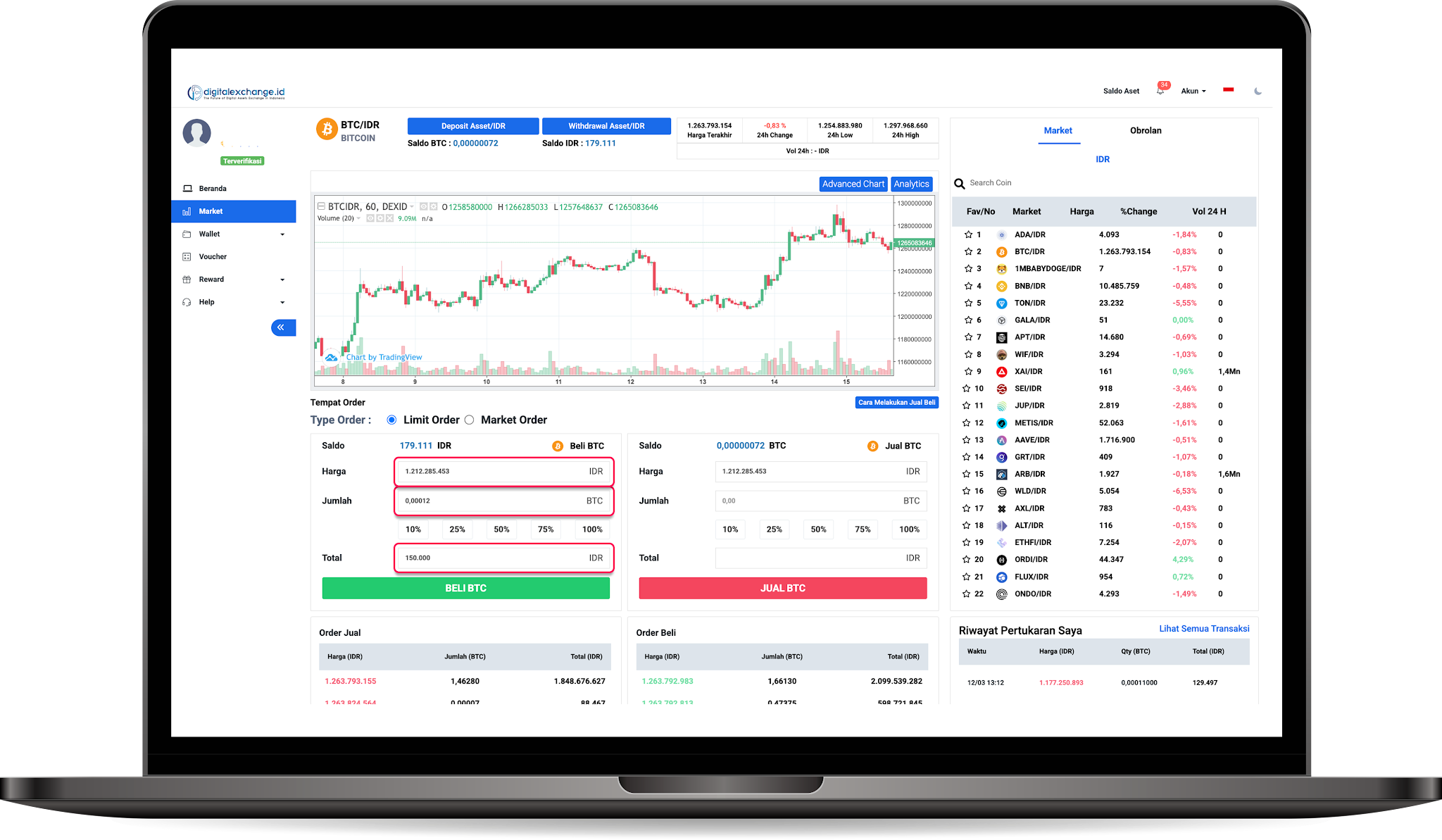
Then, change the Order Type to "Limit Order." You can specify the price of the asset you want to purchase. (Make sure the price isn't too high/too low)
If you choose Market Order you will get the best price available in the market at the time the order is placed.
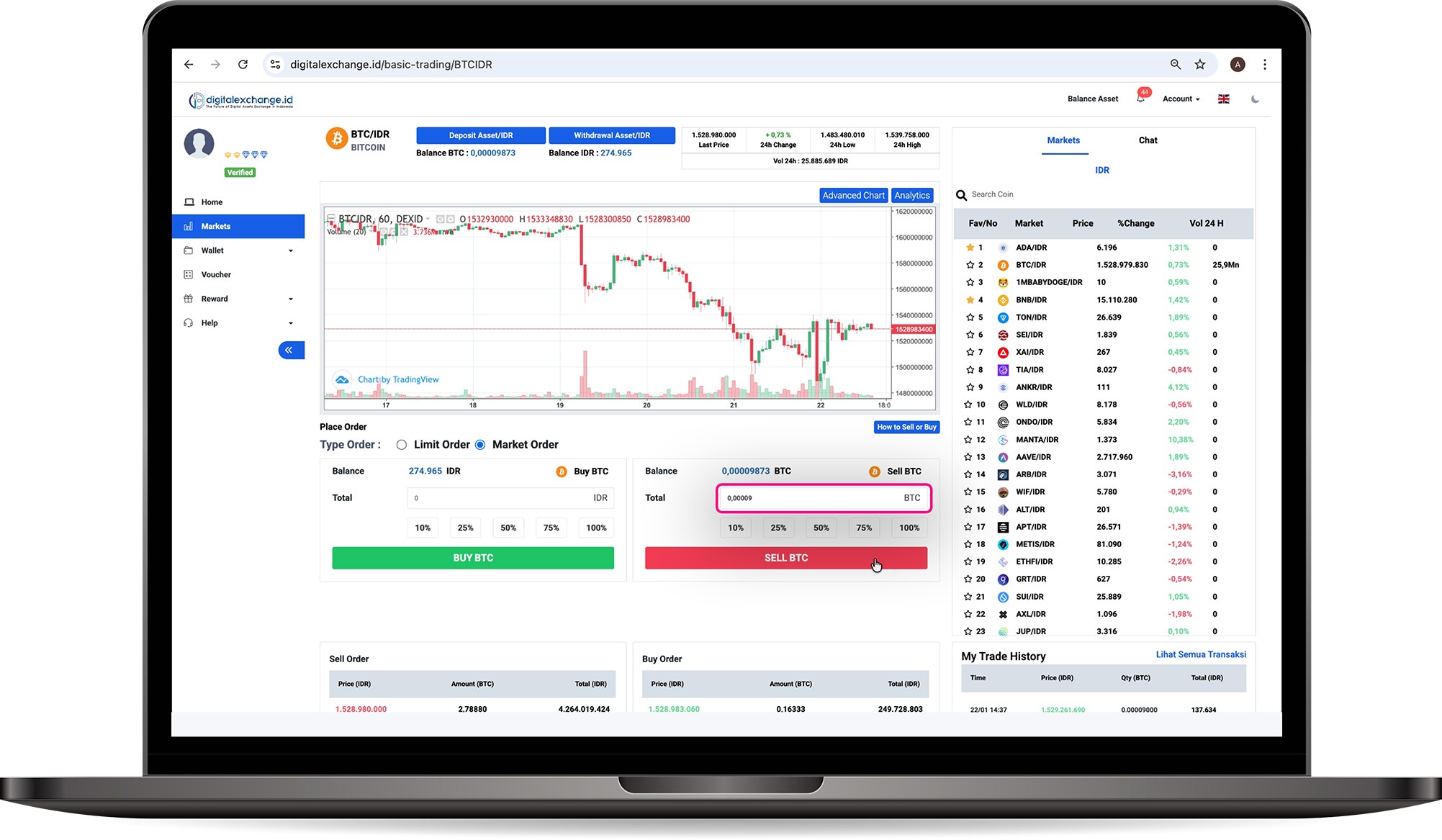
- Make sure your balance is sufficient and your purchases/sales are correct, then you can check your transaction history and see the details in “My Trade History”.
Please note,
The minimum buy-sell order in the IDR market is $6 USD.
Was this article helpful?