

How to Buy and Sell Assets Using Market Order (Instant Order) Feature on the digitalexchange.id App
Updated Short read Digital Assets
Contents
Tutorial on placing a Market Order on the digitalexchange.id app.
To use the Market Order (Instant Order) feature on the digitalexchange.id app, follow these steps:
Market Order Buy :
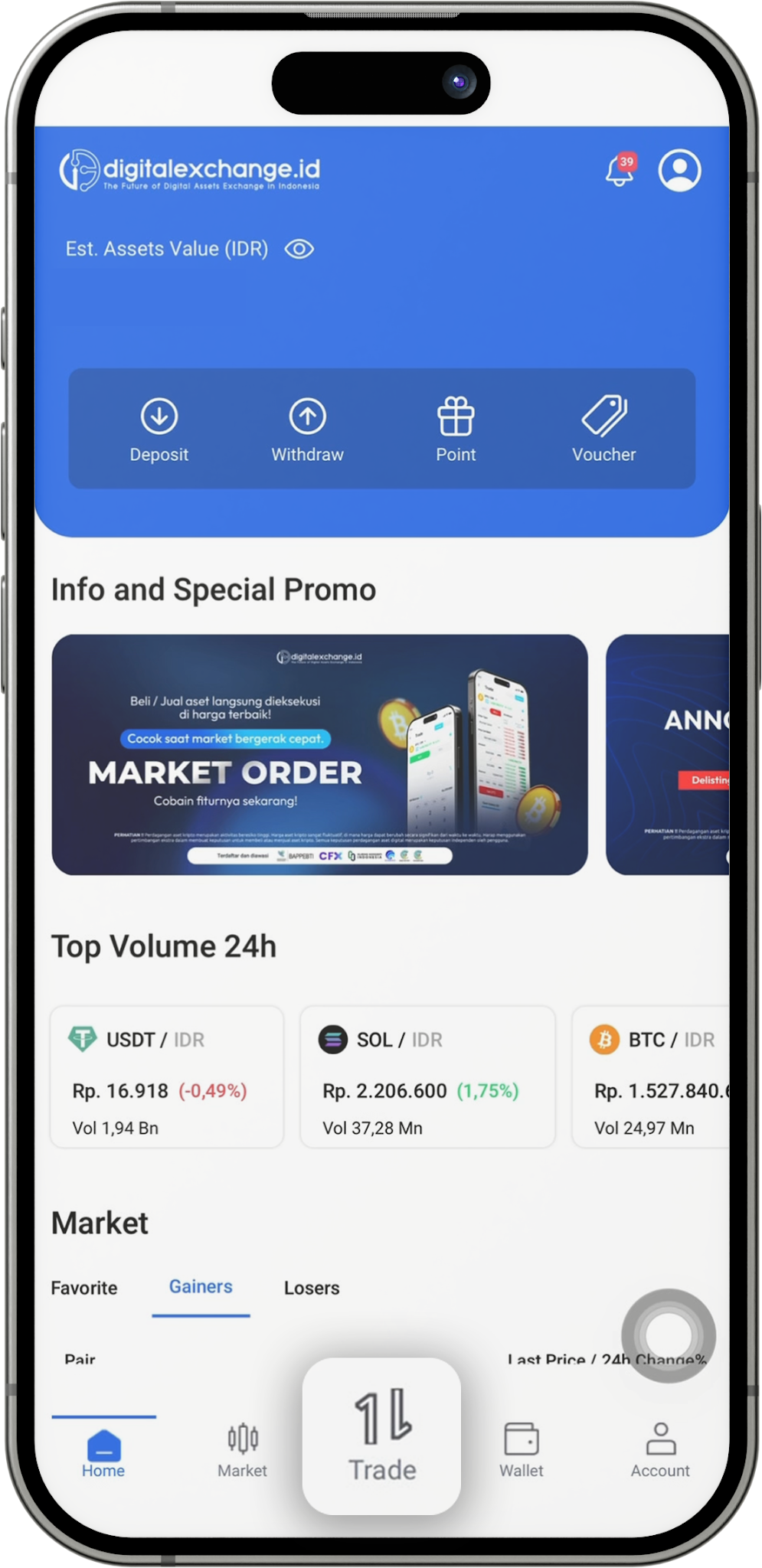
- Go to the “Home” screen of the digitalexchange.id app, open the Market feature, then search for and select the crypto asset you want to buy.
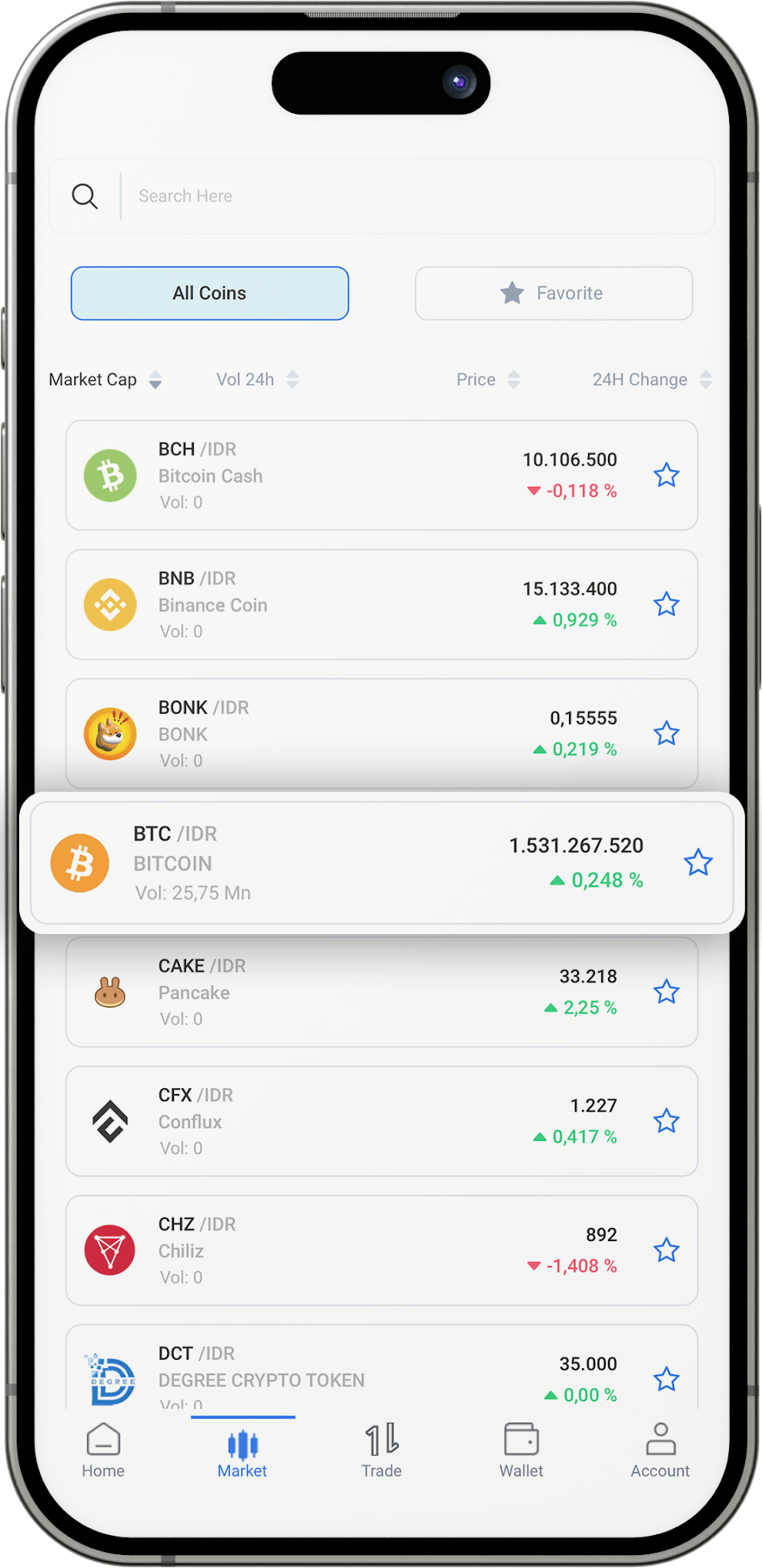
- Click Asset (BTC).
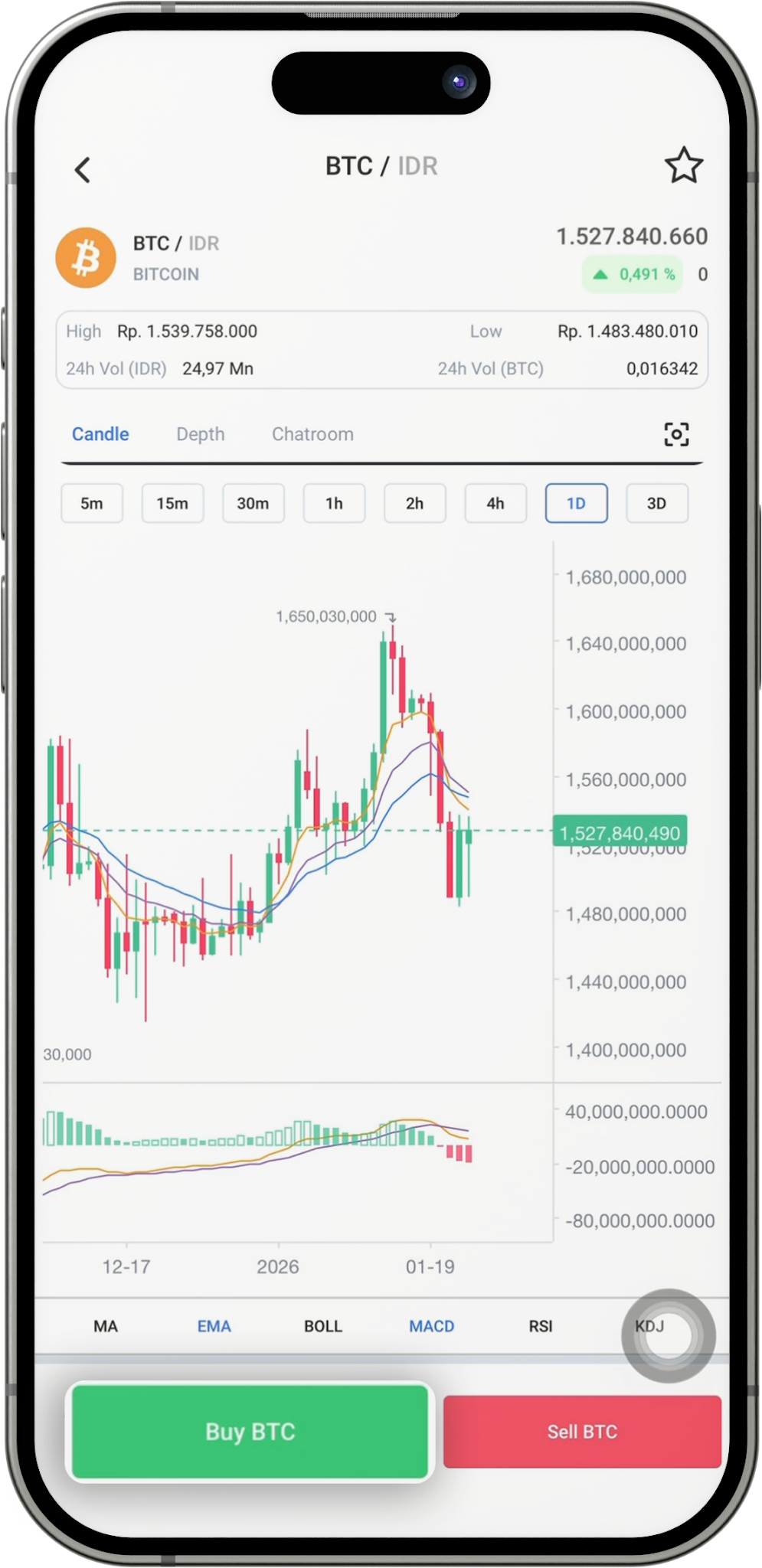
- Click Buy.
- You can choose Basic/Advance display in the top right corner.
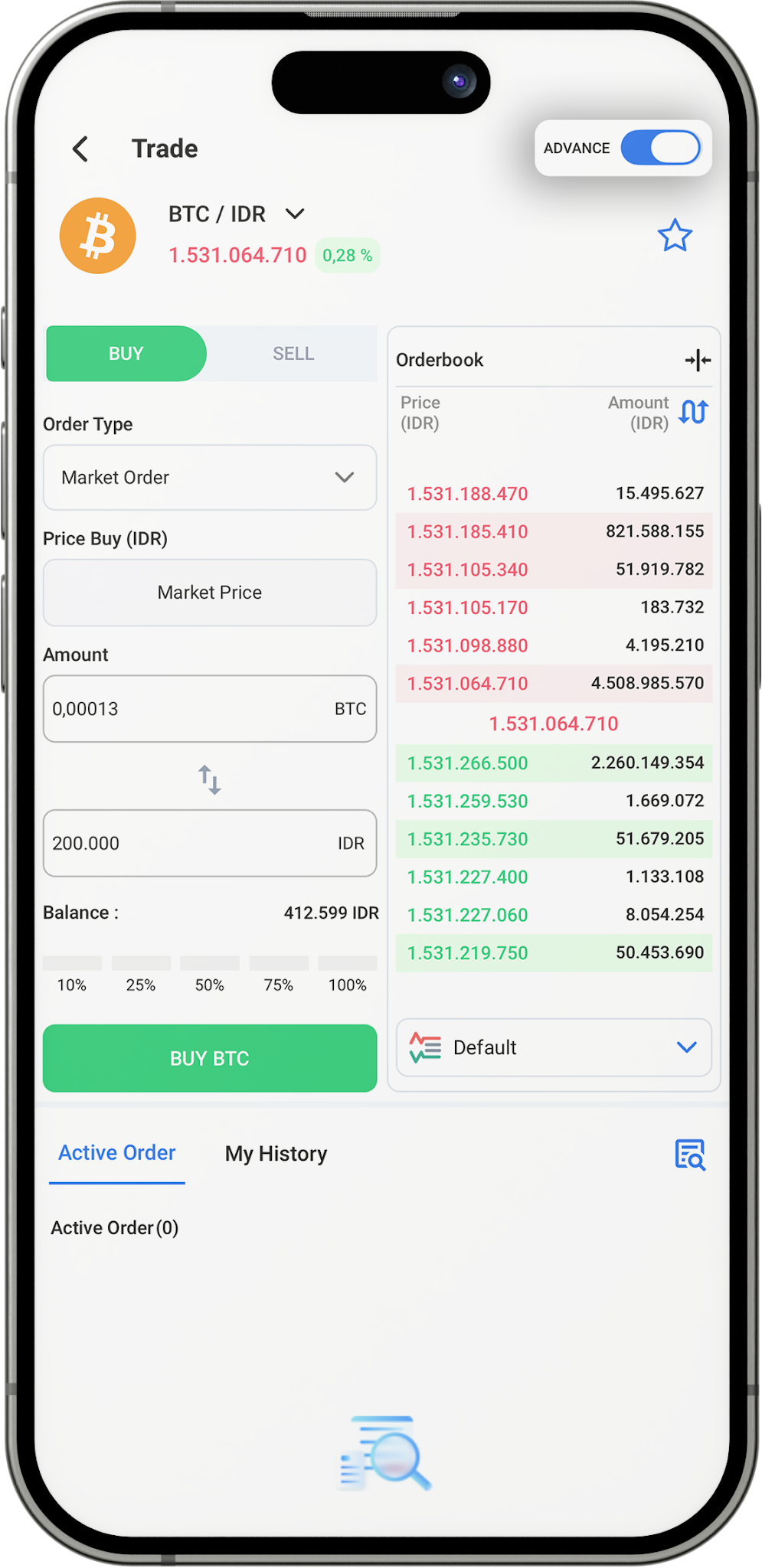
- Click “Limit Order”.
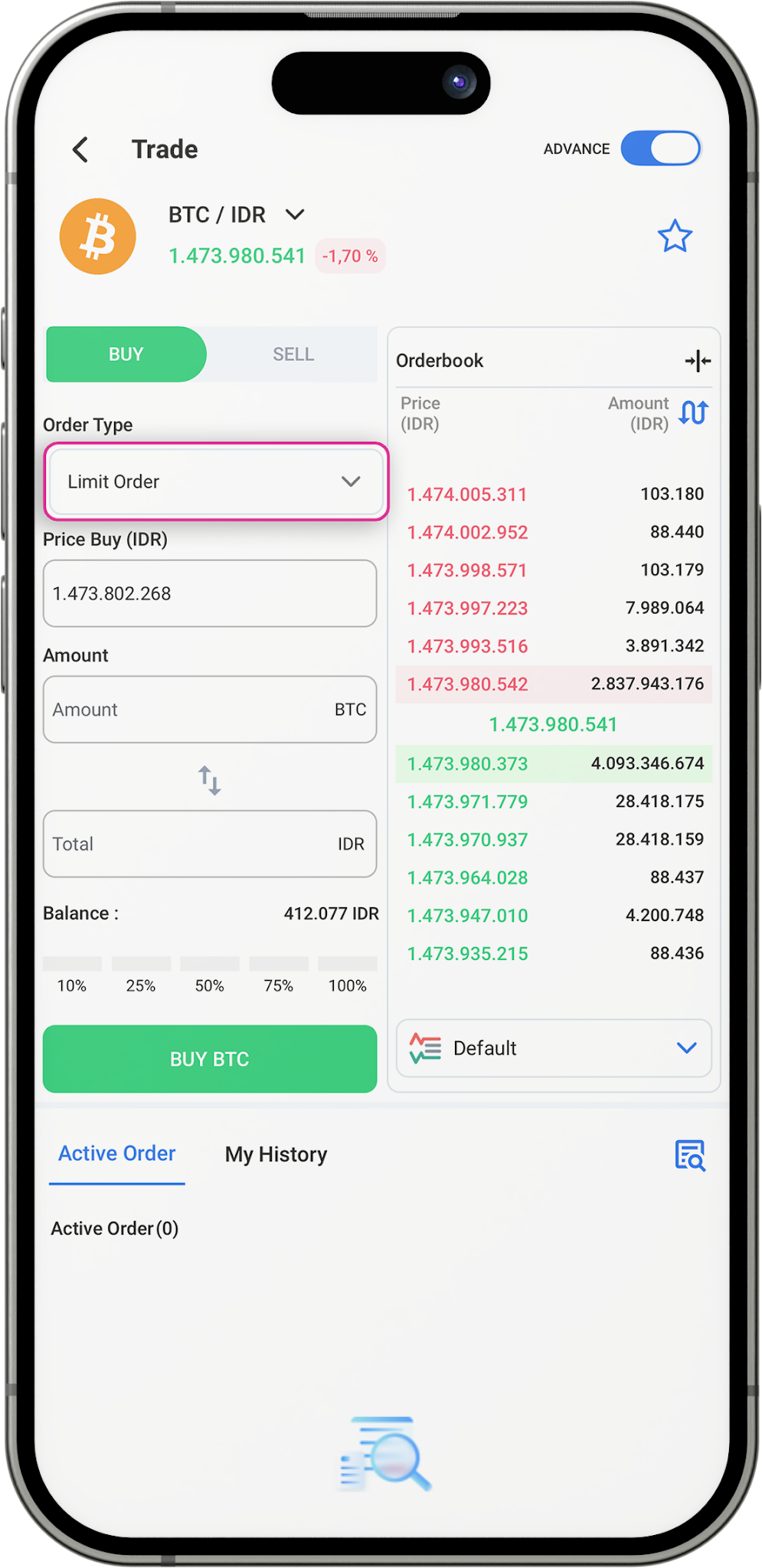
- Then, change the Order Type to "Market Order".
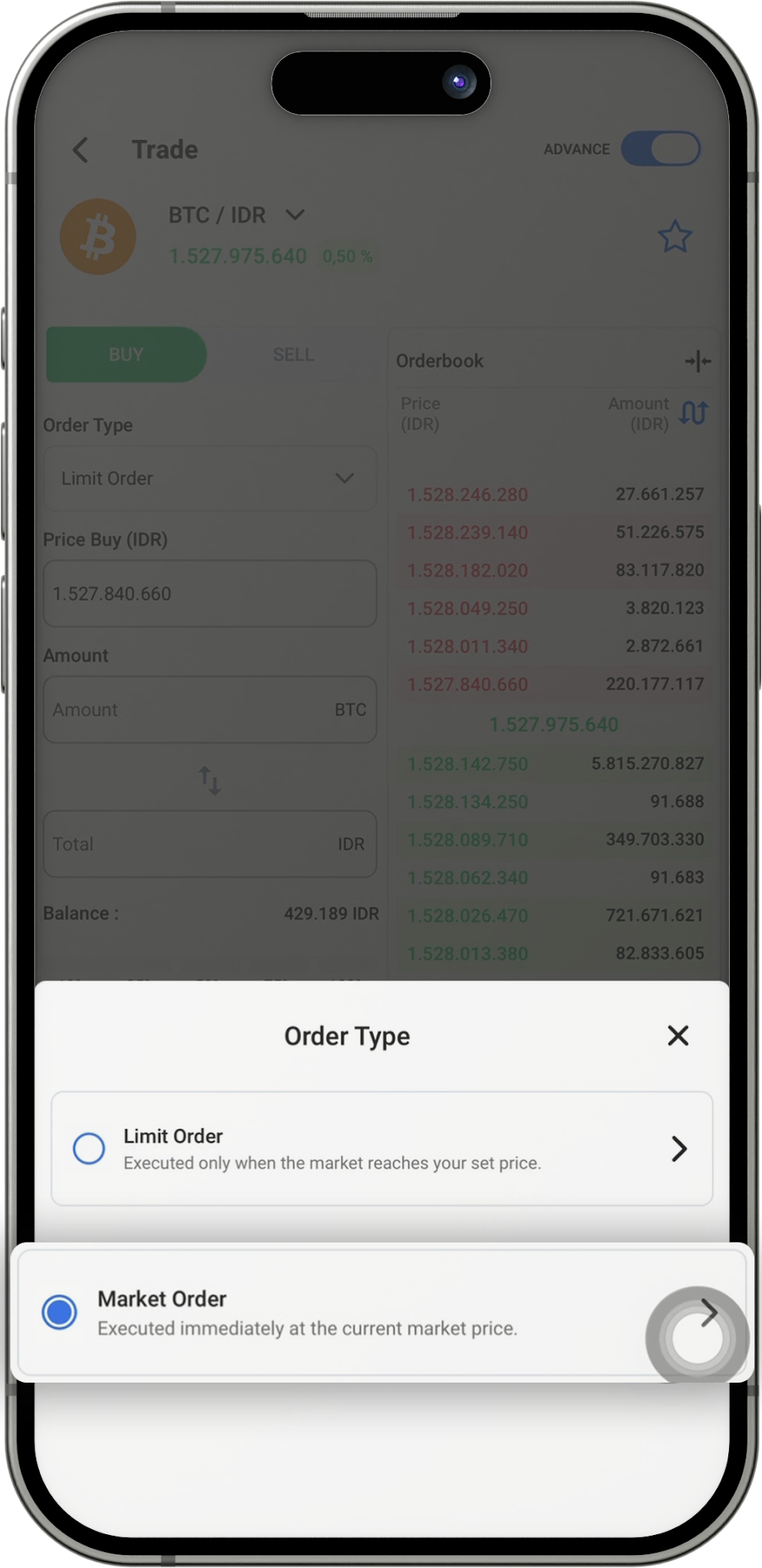
- Enter the asset value.
- Click Buy Asset (BTC)
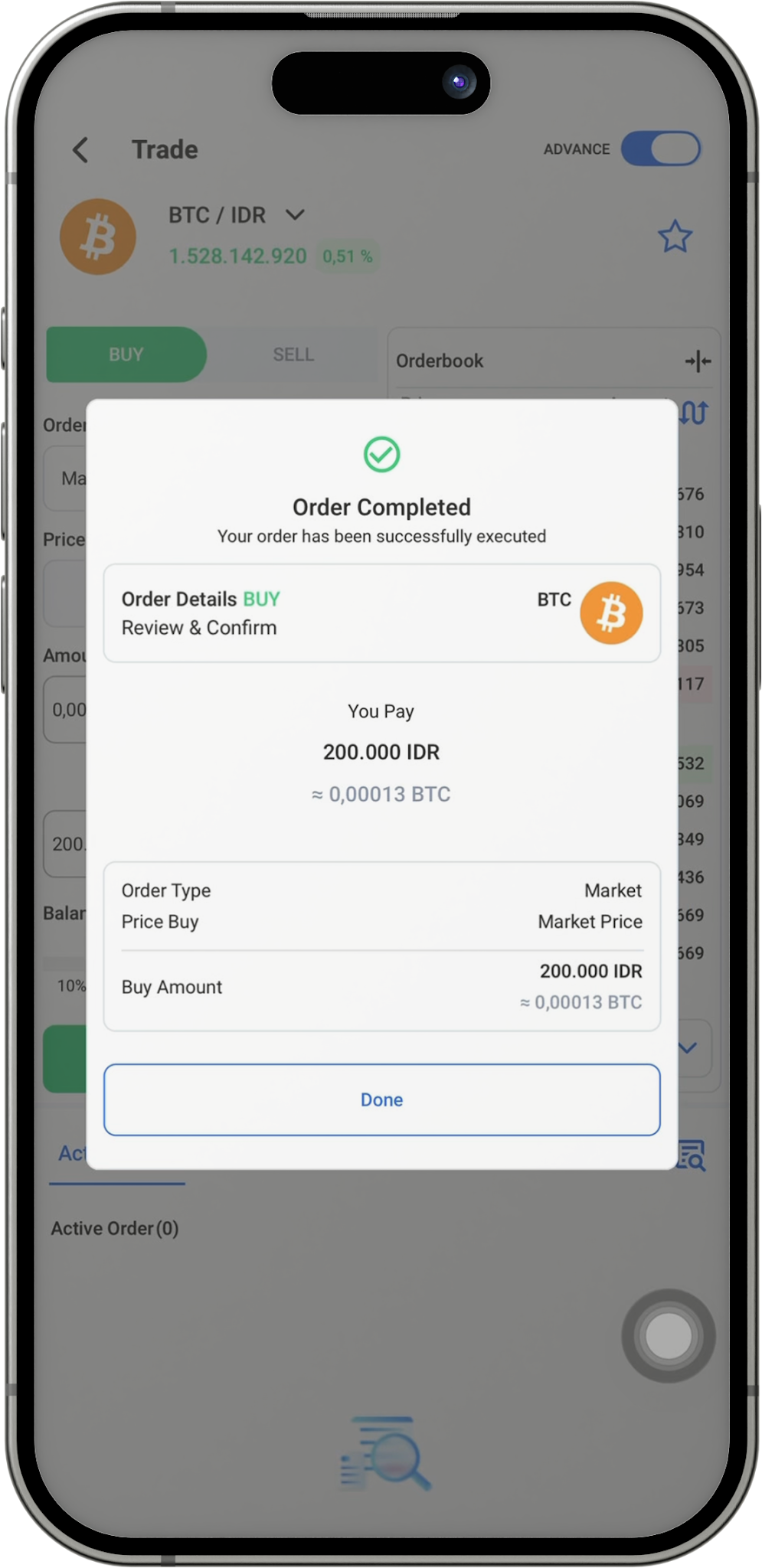
- Then, the "Order Detail BUY" pop-up page appears. If everything is correct, click "Buy".
- Your purchase was successful.
Market Order Sell :
- Go to the “Home” screen of the digitalexchange.id app, open the Market feature, then search for and select the crypto asset you want to sell.
- Click Aset (BTC).
- Click Sell.
- You can select the Basic or Advanced view in the top right corner.
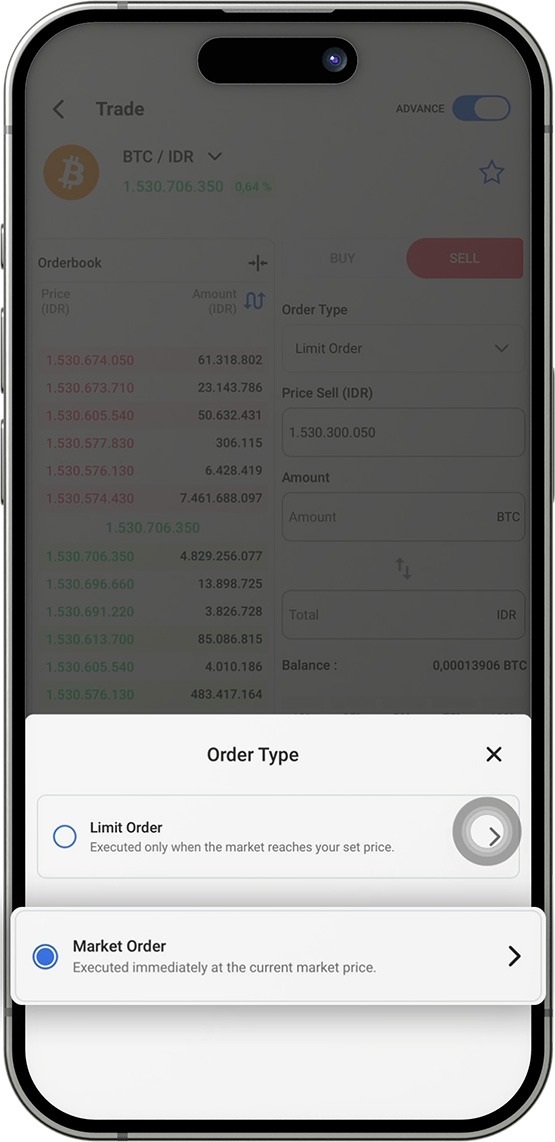
- Click “Limit Order”.
- Then, change the Order Type to “Market Order.”
- Enter the asset value.
- Click Sell Asset ( BTC)
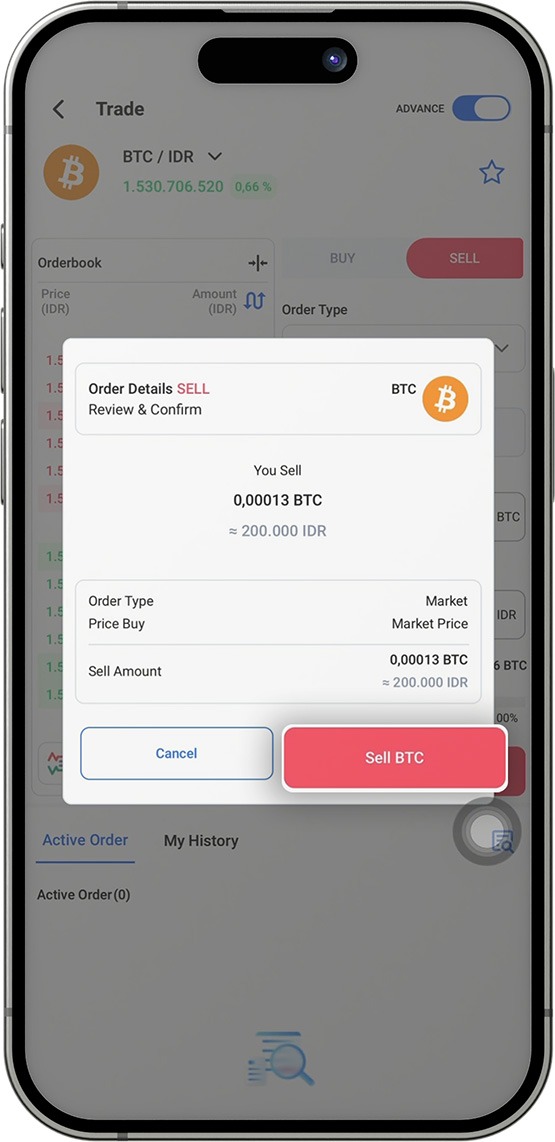
- Then, the "Order Detail SELL" pop-up page appears; if everything is correct, click "Sell".
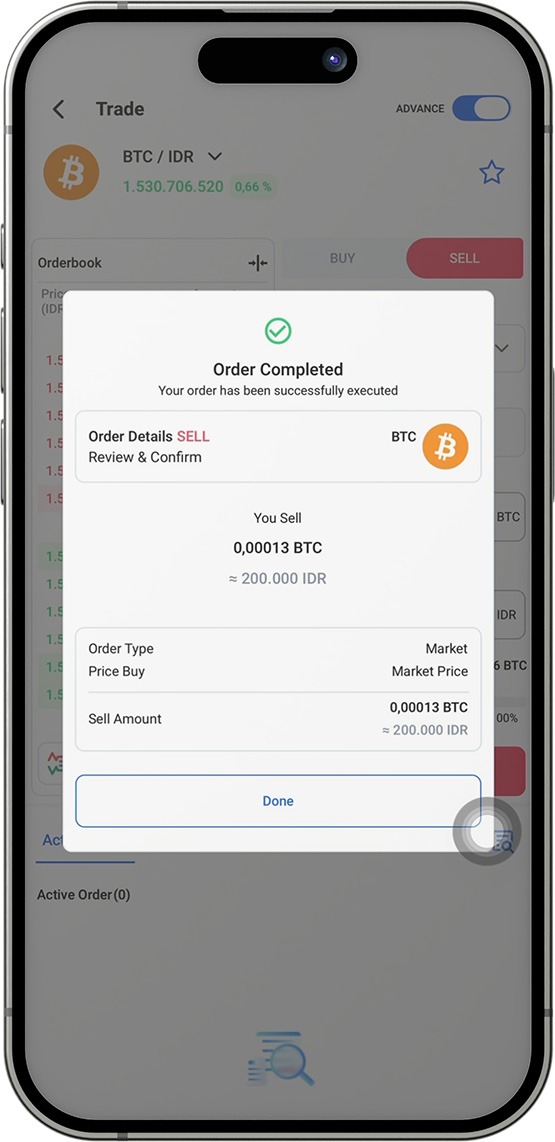
- The sale of your asset has been successful.
Was this article helpful?