

How to Change Your Email on digitalexchange.id via Website
Updated Short read Getting Started
Contents
Want to change the email address registered to your digitalexchange.id account? It's easy—just follow the steps below:
- Go to the digitalexchange.id website and log in to your account. Once logged in, click the Account menu and select My Profile.
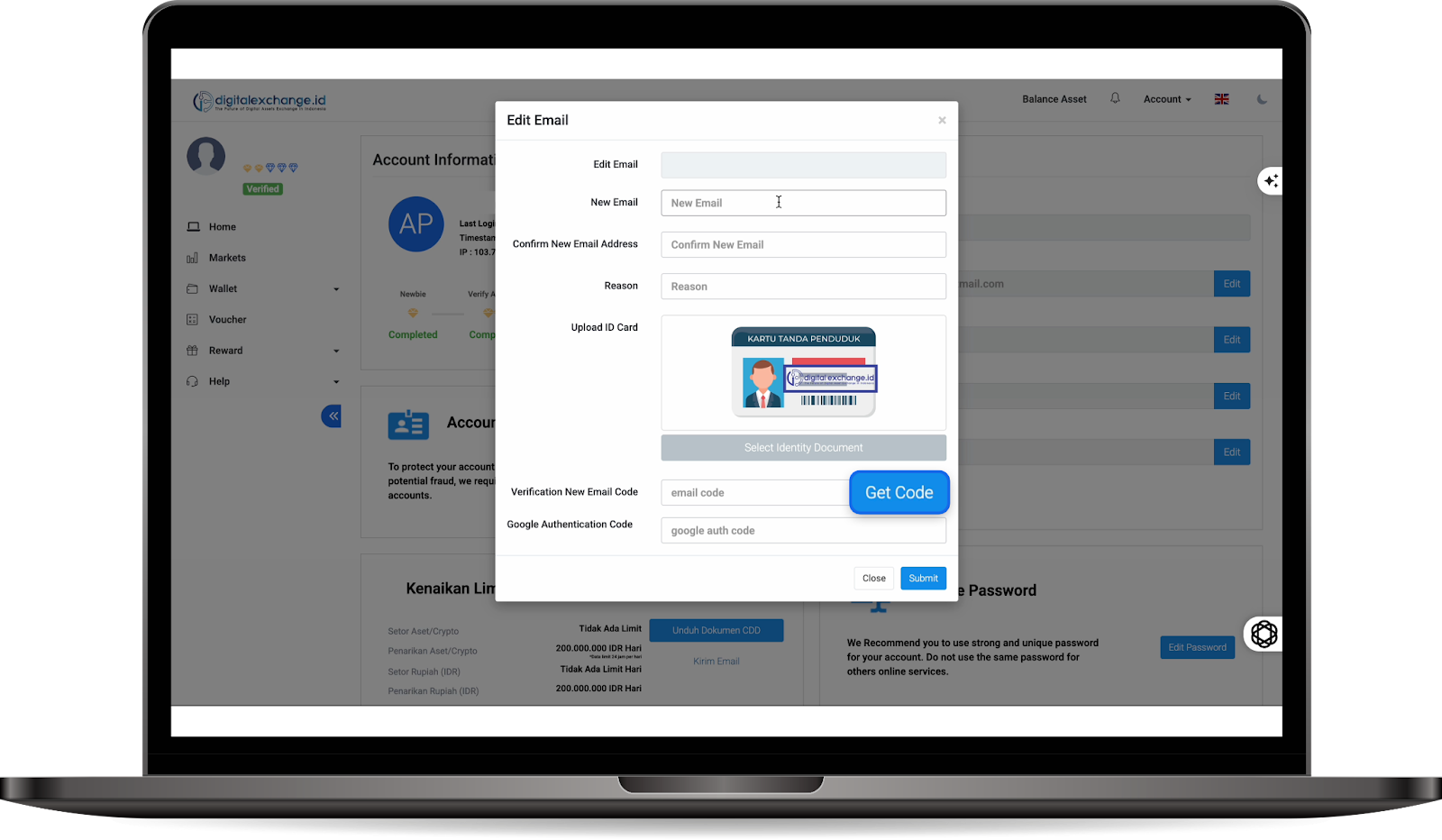
- On the profile page, look at the Email section. Click the Edit button.
- You will now see the email change form. Fill in the details completely and carefully:
New Email: Enter the new email address you wish to use.
Confirm Email: Re-type your new email addressReason: Explain why you want to change your email
Upload ID Card: Upload a photo of your ID card. Ensure the photo is clear and all information on the card is legible.
- After all the data has been entered, click Get Code.
- digitalexchange.id will send a verification code to your new email address; then, copy the code from there.
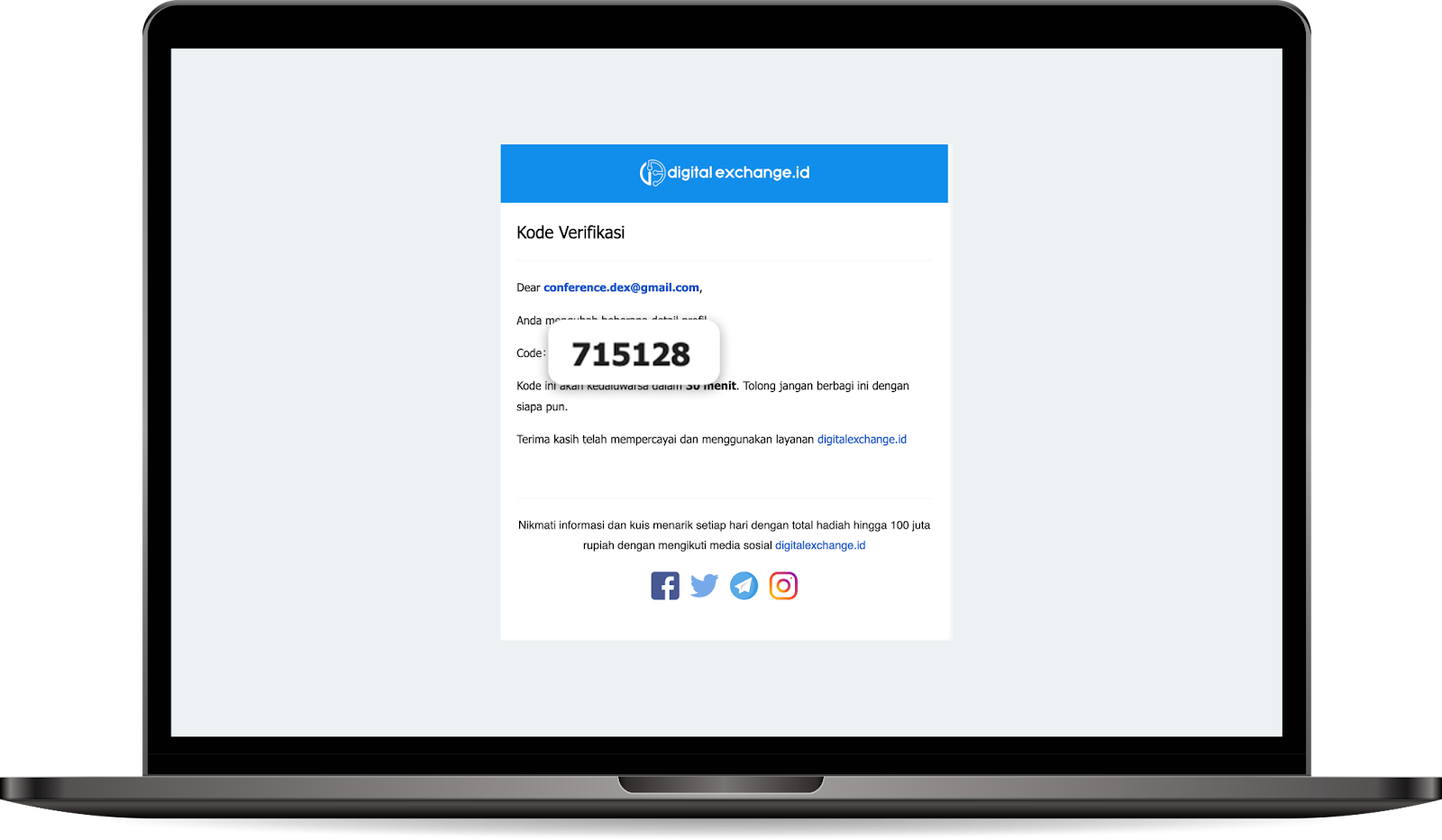
- Return to the webpage, paste the code into the provided field, and enter your Google Authenticator code as well. Once everything is filled in, click Submit.
- Your request to change your email has now been submitted. The digitalexchange.id team will process it within 3–7 business days. If successful, you will receive a notification confirming that your email has been updated.
Was this article helpful?